Your Guide to Using Social Media Templates
Ever noticed how some brands are so recognizable on social media?
Maybe they use the same color palette all the time. Maybe they have a specific font they use. Or maybe their logo design is always placed at the bottom left corner. Whatever it is, they just have that distinct look. And since you see it every time, you now instantly associate that look with that brand.
That’s not something that happens at random. What you are looking at is a social media template in action – a clear visual system that brands use to look cohesive and recognizable across their posts.
But what exactly are social media templates? Why are they important? And how can you create one to strengthen your brand?
Let’s break it all down below.
What Are Social Media Templates?
Social media templates are pre-designed layouts with structure and visual design already in place. These layouts will then simply be edited (instead of starting from scratch every time) to make it easier to create consistent-looking posts for your social media accounts.
Social media templates could include a fixed setting for:
- Font style
- Color palette
- Logo placement
- Image frame
- Text alignment
- Decorative elements
So instead of building the layout each time you make a post, you just edit in the necessary elements for your content. That’s so much time saved!
Let’s take a look at Spotify. Here’s their social media post templates in action:
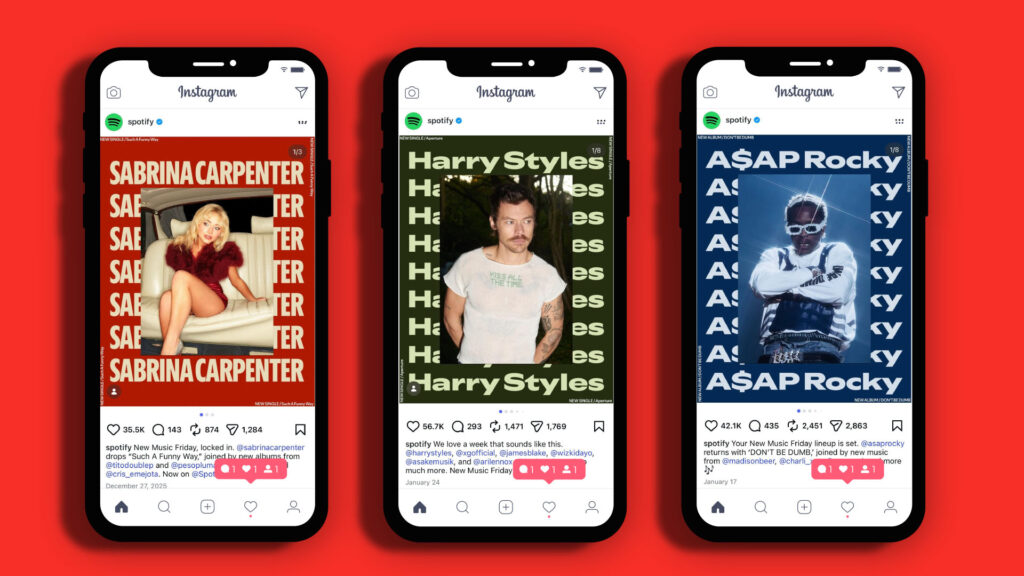
Spotify maintains the layout and the font, but they switch out the artist image, font color, and background color to keep it dynamic.
Of course, templates don’t mean just changing minor things or just using one design for everything. As you can see below, Spotify employs multiple templates, but they still look distinct since they contain their core visual identity.
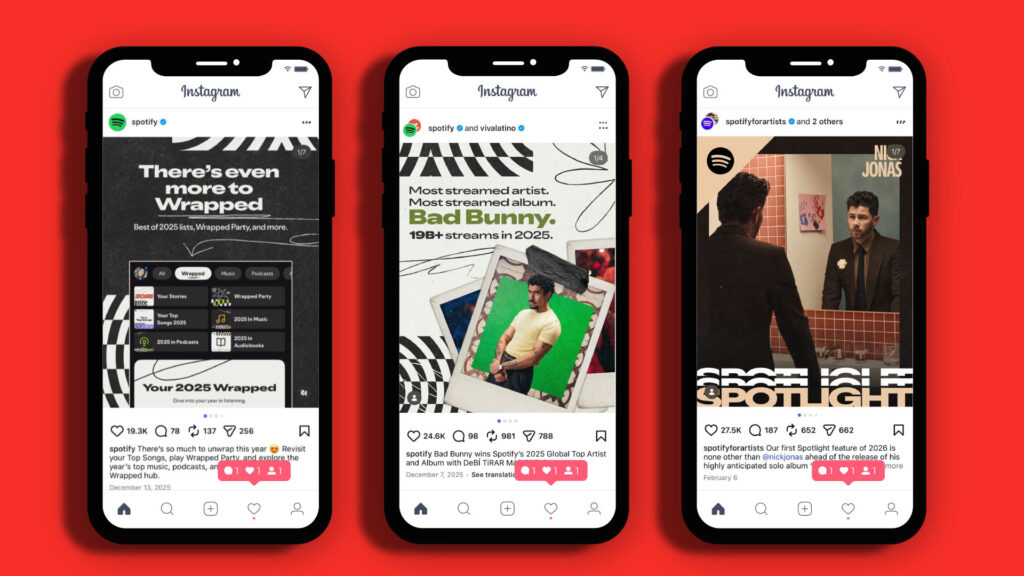
What Are the Benefits of Using Social Media Templates?
Ninety-three percent of people in the world use social media. If you want to reach them, you will need to post regularly and constantly.
One post a week won’t cut it anymore. Depending on your brand or niche, you may need to post a minimum of four times a day. That adds up to more than a hundred in a month!
And with those high numbers, how can you ensure that all your posts will remain aligned with your branding? That’s right, with your social media templates. With them, you can create hundreds or thousands of posts that maintain your visual identity without sacrificing quality or putting too much effort.
Some other benefits are:
- Saves time – Templates eliminate the need to design from scratch for every post. You’ll just need to plug in the necessary details, and you’re done.
- Builds brand recognition – When your posts share the same typography, color palette, spacing, and layout style, your audience begins to associate that visual language with your brand. Over time, this consistency builds memorability and recognition.
- Improves quality – Templates help you avoid errors that can make your brand look unprofessional like using the wrong font, using an outdated logo, or adding an image that isn’t aligned with your branding.
- Makes it easy to collaborate – Templates serve as brand guidelines that people can refer to when creating your content. This means that all your posts will look the same, whether it came from your team, partner companies, or influencers you are working with.
- Helps non-designers – Not everyone has a design team working with them. Using social media templates from platforms like BrandCrowd can help you get started with professional designs that you’ll simply edit. This way, you can still keep up with being active on social media without having to wrestle with Photoshop or other complex software.
Types of Social Media Templates
Social media templates come in many forms. Most brands use a combination of these:
Social media post templates
These are your pre-designed posts for static image content on Facebook, Instagram, LinkedIn, Pinterest, etc.

Landscape Garden Services Instagram Post by BrandCrowd
Social media video templates
These are templates optimized for videos such as Shorts, Reels, or Stories. Since these are typically viewed on mobile, they tend to have vertical formats. They also utilized more interactive elements such as polls, countdowns, or reacts.
Social media ad templates
These are templates sized and styled specifically for paid ad placements on Facebook Ads, TikTok Ads, and more.
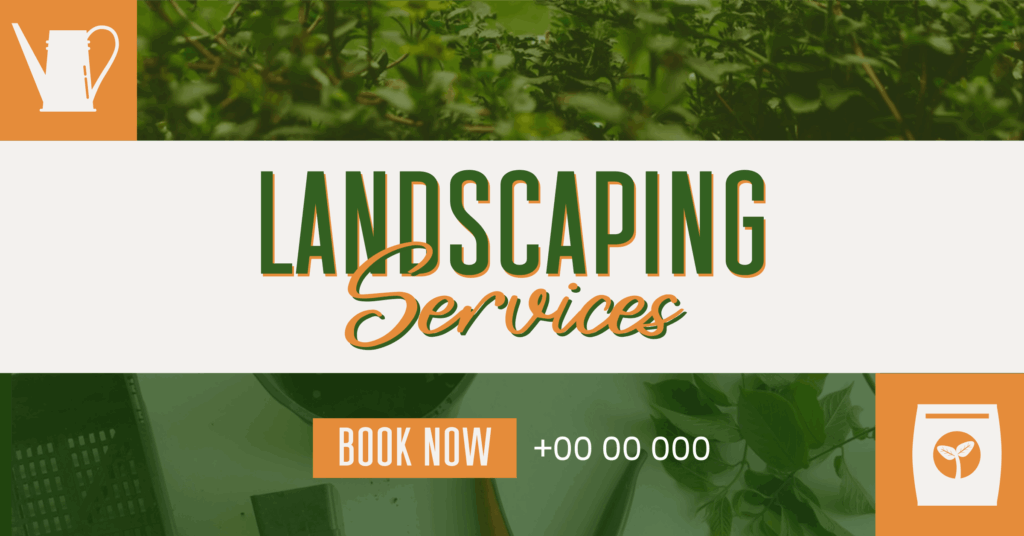
Landscape Gardern Services Facebook Ad by BrandCrowd
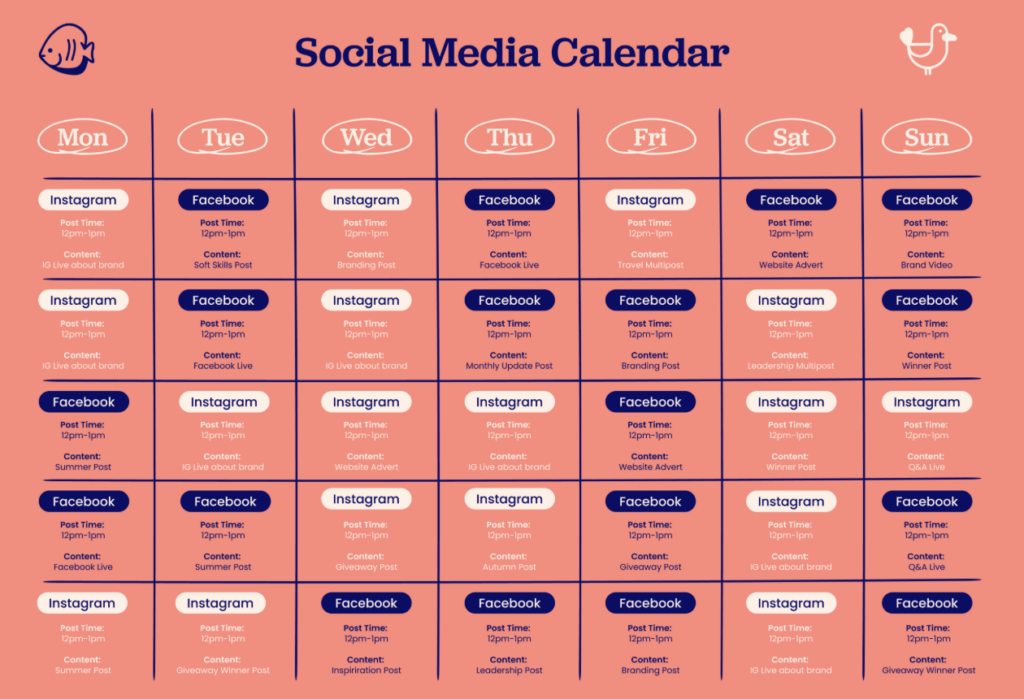
Content calendar templates
Templates aren’t just limited to your actual post. Having templates for your content calendar or content briefs can also provide more structure when it comes to planning your post and scheduling their release.
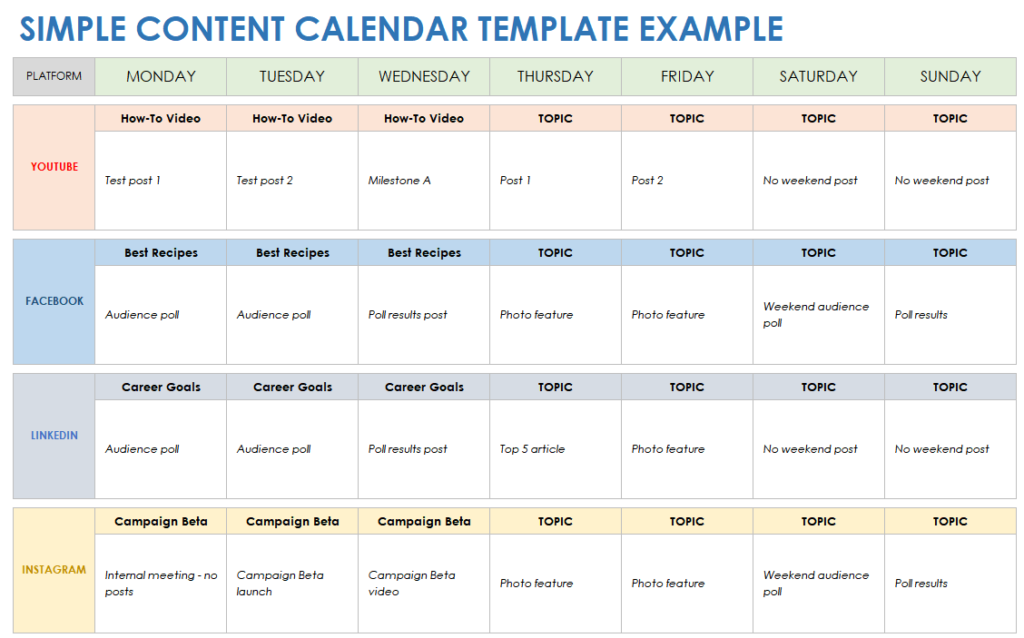
Source: Smartsheet
Source: Otter Half
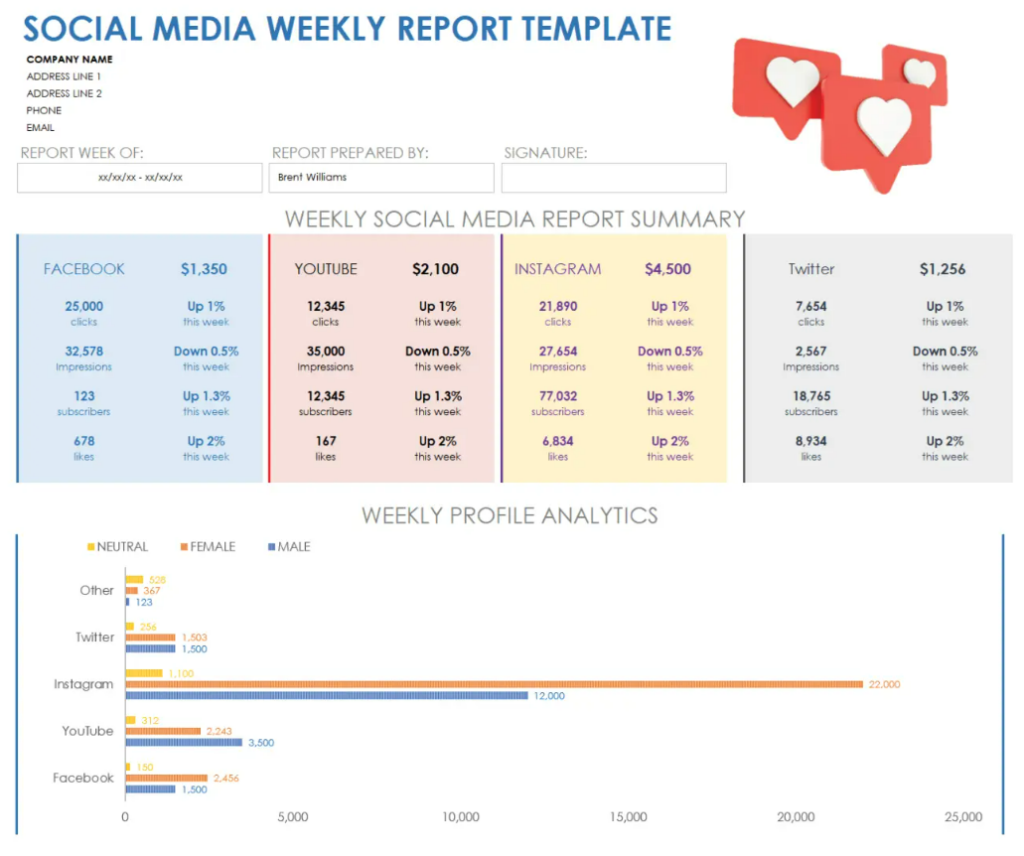
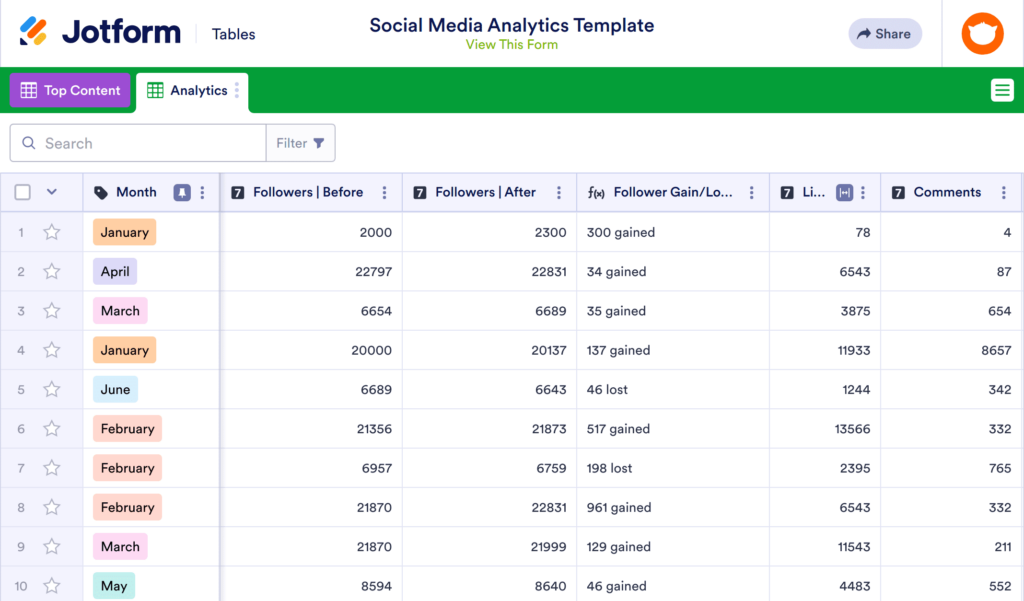
Analytics and reporting templates
Templates for tracking your social media posts’ engagement and performance are also available to streamline your data analytics process.
Source: Smartsheet
Source: Jotform
How to Create Social Media Templates
Here are some tips and design basics you should keep in mind when creating your social media marketing templates:
Define your visual brand identity
Make sure you understand your brand identity before you start designing. Ask yourself these questions:
- What vibe or look are you going for? Are you minimalist, sporty, luxurious
- What is your color palette?
- What fonts should be used for header texts? How about for body text?
- Where should you place your logo?
- What kind of icons, illustrations, and decorative elements are suitable for your brand?
- What kind of imagery should you use?
Knowing the foundation of your brand should help you create more effective and on-brand templates.
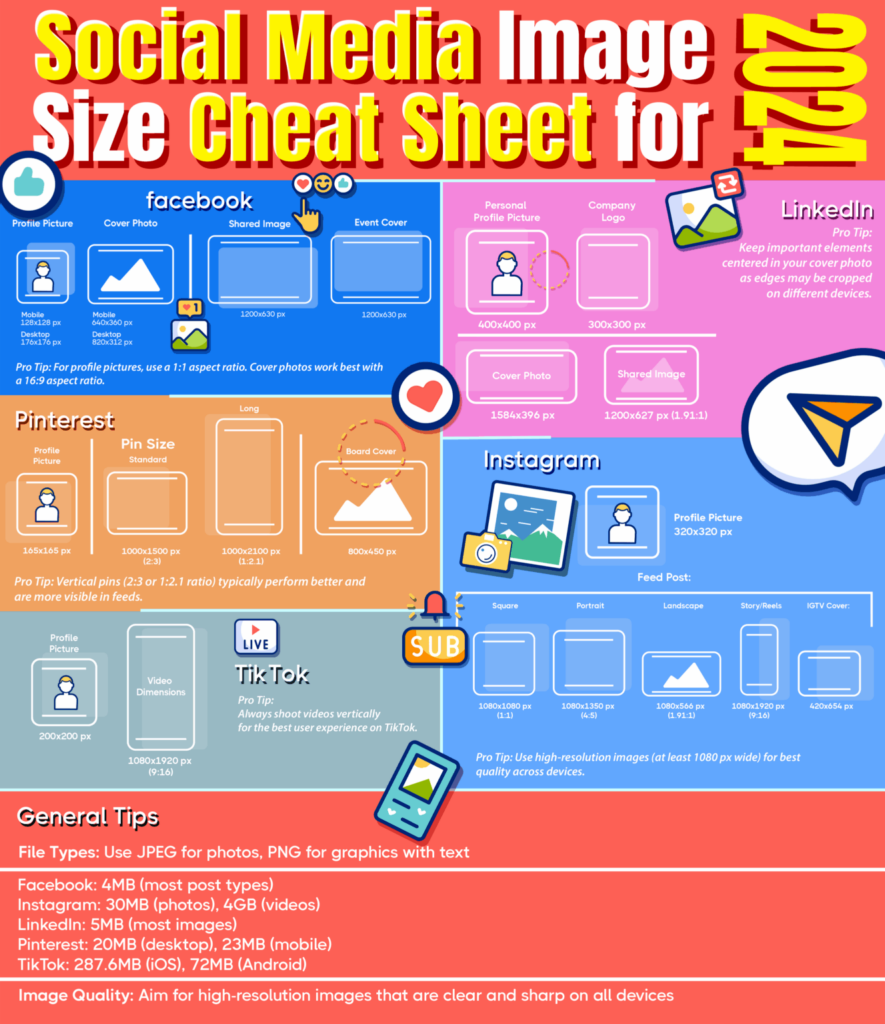
Know your platform sizes
Every social media platform has different size requirements. What works for Facebook might not be the same for YouTube. If you use the wrong size, your template might get cut off or get awkwardly zoomed in. You don’t want to waste your great design on this issue, right?
So make sure you know the correct sizes and create templates accordingly for each required size. Check out our article on the social media design formats and sizing guidelines here. Or take a look at our quick guide below:
Create multiple template variations
Don’t just rely on one template. Create templates for every type of content that your brand might produce. These could be:
- Announcement templates
- Quote templates
- Ask the audience / Question templates
- Promotional templates
- Event templates
- Seasonal templates
- And so on!
Your templates shouldn’t just stick to one design either. Try to switch up the font color, background color, or decorative elements to keep your templates fresh and engaging (and not boring or repetitive). Just make sure you retain a few core elements to still keep it recognizable.
Ensure your templates are customizable
Keep in mind that you will edit your template with different images or text depending on the context. Thus, there should be enough space in the template to fit whatever you will add. Check how the template will look when you add a long text, a short text, a different colored image, or if you switch up the font style. This should help you see if your templates are truly versatile and adaptable, especially when creating social media posts for different campaigns and audiences.
Make sure to also use different content blocks for your image, text, and background. This way it’s easier to edit them individually without affecting other elements.
Keep it simple
A person should understand what’s on your template in less than three seconds. Keep your text short, use just one main image, use only 2-3 colors, and follow visual hierarchy to ensure your template is clear and legible.
Where to Find Social Media Templates
Don’t have the design experience or skills to create templates on your own? Don’t worry. There are multiple online platforms where you can find pre-made templates that you can simply edit and customize.
Here are some reliable platforms where you can find high-quality social media templates:
BrandCrowd
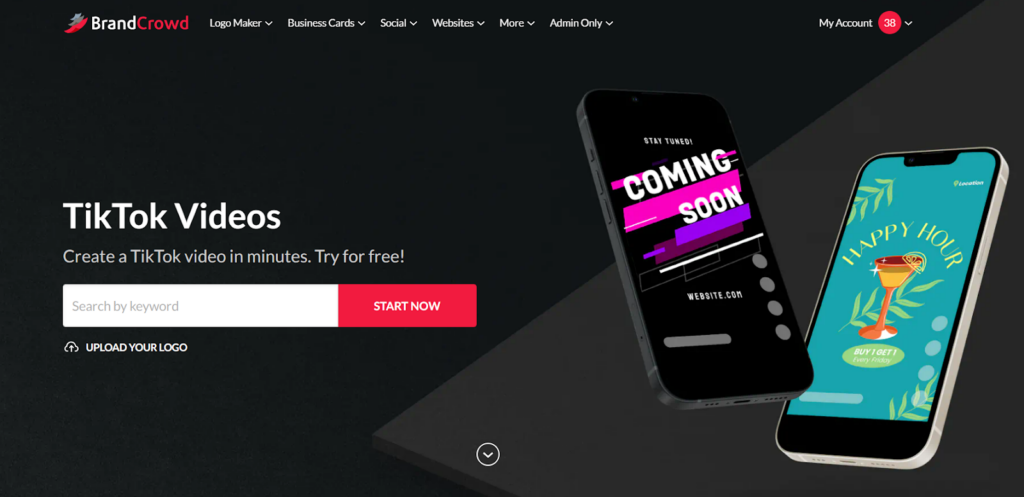
BrandCrowd provides thousands of social media templates, such as ads, image posts, Instagram Reels, TikTok Videos, profile pictures, and many more. Just choose a design you like, edit it through the beginner-friendly editor, then download to use. It’s that simple!
These templates are also all handcrafted by top designers and are created from a library of exclusive fonts and icons, thus ensuring that each design is unique, high-quality, and not cookie-cutter. People won’t even know you are using a template! That’s how premium and high-quality the designs are at BrandCrowd.
Design.com
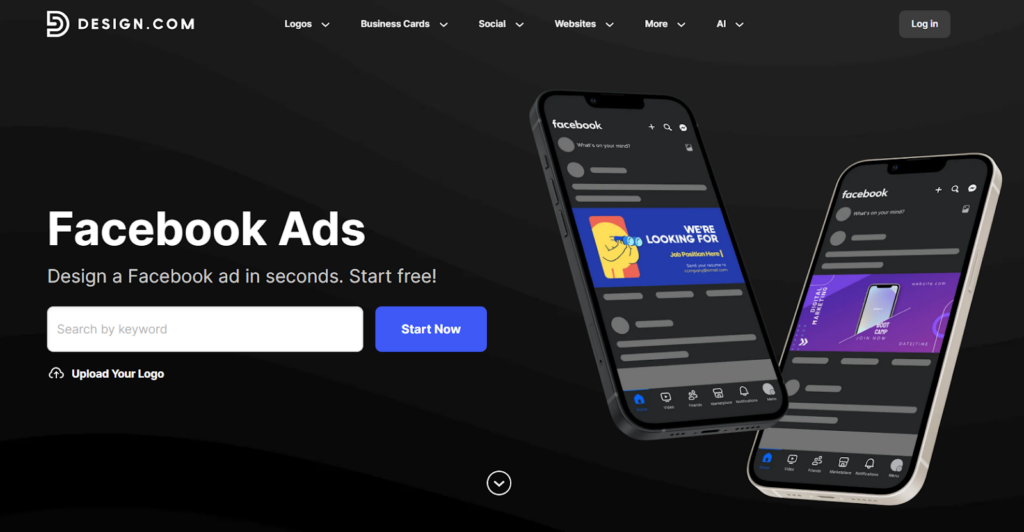
Design.com is another top recommendation. They have a library of social media templates that are suitable for a wide range of industries and niches. So whether you need a post for your fitness studio, music app, or barbershop, you can find the right design for you here.
How to Use Social Media Templates Effectively
Using social media templates isn’t just about filling in blanks. To get the best results, you need to use them strategically. Here are smarter ways to maximize their impact:
- Rotate templates – Don’t use the exact template layout in a row. Rotate between different template styles (promotional, educational, announcement) to keep your feed dynamic while maintaining brand cohesion.
- Optimize for the platform – Even if you are using the same template, you can make subtle changes to fit the platform you are posting on. For example, go for casual and friendly text on Instagram, while you should use a more direct and corporate tone on LinkedIn.
- Prioritize clarity – Is your text long? Do your best to cut it rather than shrinking the font size to make it fit. Strong and concise messaging is best for social media, so always prioritize that.
- Keep your core identity – Don’t rearrange or edit your main elements unless necessary. If you are already switching out the background and font color, don’t change the layout or the decorative elements. If you are switching out the text placement, don’t change the font. Make sure some elements will remain the same so that you are still recognizable to your audience.
- Test and refine – Creating a template doesn’t mean you will use it forever. Pay attention to your metrics. If certain template styles consistently perform better, try to incorporate some of their elements into your other templates. You can also A/B test elements, e.g., “Shop Now!” vs. “Get it Now!” CTA button, to see if it can improve the post performance.
Conclusion
Whether you’re a small business, an aspiring influencer, or a big brand, you’ll need to be actively posting on social media to stay relevant and competitive.
Luckily, social media templates are here to make your life easier. No need to design from scratch every time – just pull out your template, swap in your content, and hit “Post”.
So start using templates now to simplify your workflow, scale your content production, and free up your time to focus on higher-level tasks. Hop on to our Facebook post maker, YouTube banner maker, or Instagram Stories maker to get started.
Read more about social media design here:
- How To Use Animation for Social Media
- How To Design Facebook and Instagram Covers That Resonate With Regional Audiences
- Social Media Ads Design Secrets: Winning Strategies for Instagram, Facebook, and LinkedIn
FAQs About Social Media Templates
Can beginners use social media marketing templates?
Definitely! Templates are designed to simplify content creation. Even users with minimal design experience can produce professional posts by customizing text and visuals within a structured layout.
Where can I find templates for social media ads?
You can find customizable templates for social media ads on platforms like BrandCrowd, Design.com, and other design tools. These templates can be used for various ad placements and marketing campaigns such as video ads, image ads, carousel ads, and more.
Are social media templates free?
It depends on the platform. Some offer completely free social media templates. Some offer free but with basic or limited customization options. While some provide premium templates that may have additional design or editing features.
Can I customize social media post templates to match my brand?
Absolutely. Most templates allow you to change colors, fonts, images, and layouts so they align with your brand identity.
Faviola Publico is an SEO Content Writer specializing in branding and digital marketing strategies. Outside of work, she enjoys reading slice-of-life novels and watching any mystery thriller-themed series.
Header Image by Khim John Blazo