6 Best Tools for Creating a Brand Kit in 2026
Keeping your brand consistent across marketing assets can be challenging, especially when you’re creating a logo design followed by social media graphics, business cards, and other materials from scratch on multiple platforms. As a result, you may end up using inconsistent colors and fonts, making your assets look disconnected.
A brand kit helps coordinate designs so they look and feel like they belong to the same brand. Fortunately, you don’t need professional design experience to create one. Tools like Design.com and BrandCrowd make it easy to build a brand kit and create matching marketing materials.
This guide compares six platforms based on their brand kit creation capabilities, ease of use, and pricing to help you find the right fit.
At a Glance
The six platforms below offer different ways to create and manage a brand kit. Here’s a quick look:
| Tool | How it helps build a brand kit | Best for |
| Design.com | Automatically applies branding from new or uploaded logos across social, print, and web templates | Complete brand kit creation |
| BrandCrowd | Uses new or existing logos to create matching branded materials | Matching business and marketing assets |
| Canva | Stores logos, colors, fonts, and templates in a dedicated Brand Kit | Everyday marketing content |
| Adobe Express | Organizes brand elements and applies saved colors and fonts across designs | Defined brand styles and reusable graphics |
| Looka | Automatically generates 300+ branded templates from a new or uploaded logo | Ready-made brand kits |
| VistaPrint | Stores brand elements for use across customizable print and marketing products | Print and marketing materials |
How We Chose These Tools
We evaluated each platform based on five factors:
- Brand kit capabilities: How it brings together logos, colors, fonts, and other brand elements.
- Ease of use: How straightforward it is to create or upload brand assets.
- Brand consistency: How branding is applied across different designs.
- Reusability: How easily brand elements can be accessed and reused.
- Pricing: Free options and the cost of relevant branding features.
We also considered whether each platform supports creating a brand kit from scratch, using existing brand assets, or both.
What are the Best Brand Kit Tools?
1. Design.com
Best for: Building a complete brand kit with coordinated designs and marketing materials.
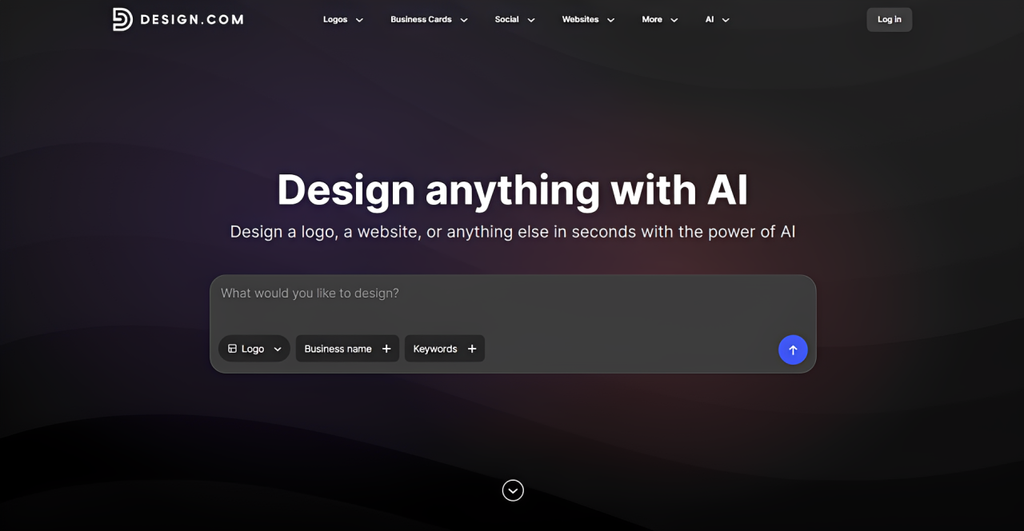
Design.com is more than just a logo-making tool. It also lets you create other marketing materials and build a complete brand kit. Its automatic template branding feature makes this process easy by automatically integrating your logo colors and fonts into other templates. This helps maintain a consistent visual identity so you won’t have to recreate everything manually.
With over 500,000 professionally designed logo templates, 750+ fonts, and more than 50 design tools, Design.com provides the resources needed to build a coordinated collection of brand assets.
Key brand kit capabilities:
- Automatic template branding: Social, print, and web templates inherit logo colors.
- Brand typography: Choose from 750+ fonts, including 525+ exclusive fonts.
- Matching brand assets: Create business cards, social media posts, email signatures, letterheads, and other materials.
- High-res and vector file formats: Download logos and other designs in multiple formats, including PNG, JPG, SVG, EPS, and PDF.
- Connected design tools: Extend branding to websites, presentations, flyers, posters, and more.
How it works:
You can start by creating a logo with Design.com’s AI logo generator or uploading an existing one. For our example, we created a logo for Morning Bloom Cafe & Bakery using the prompt: “Create a logo for Morning Bloom Cafe & Bakery. Use flowers, a coffee cup, warm colors, and modern typography.”
Here are some of the results:
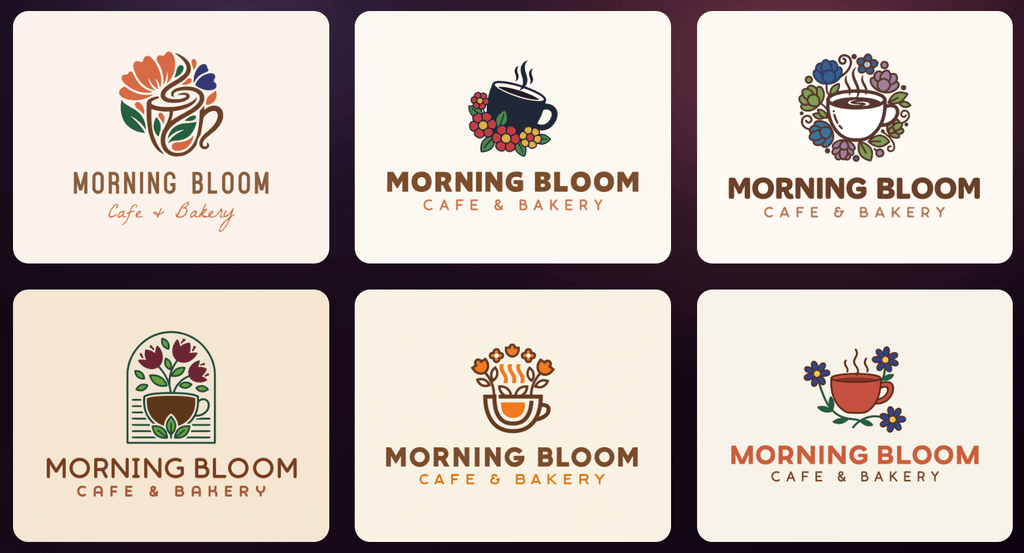
We chose the first result to create our sample marketing materials.
Logo:
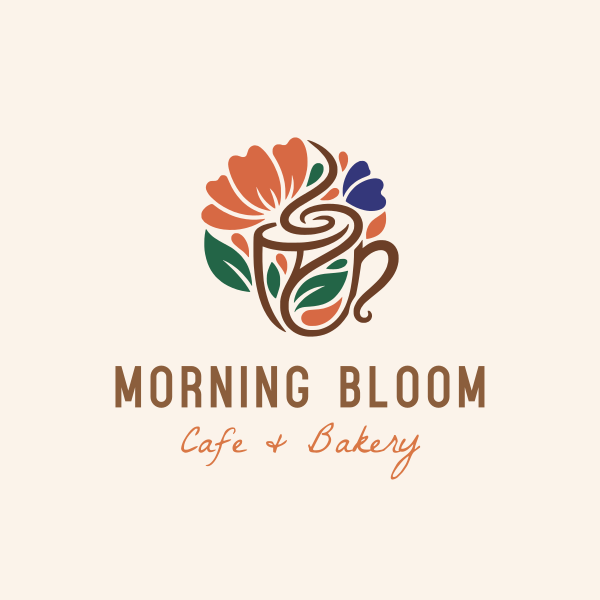
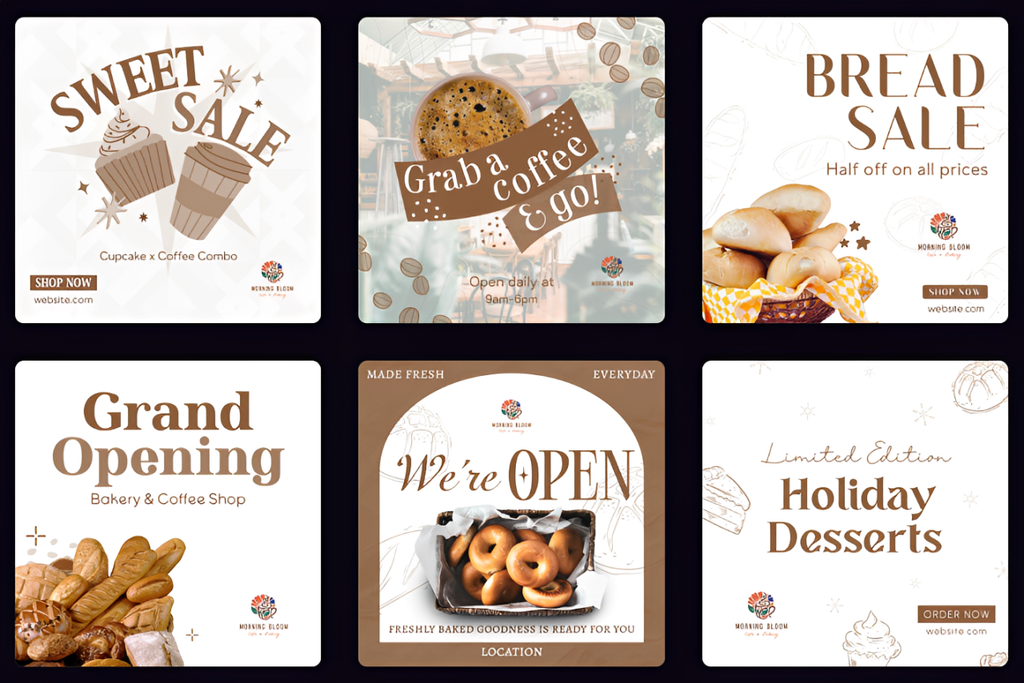
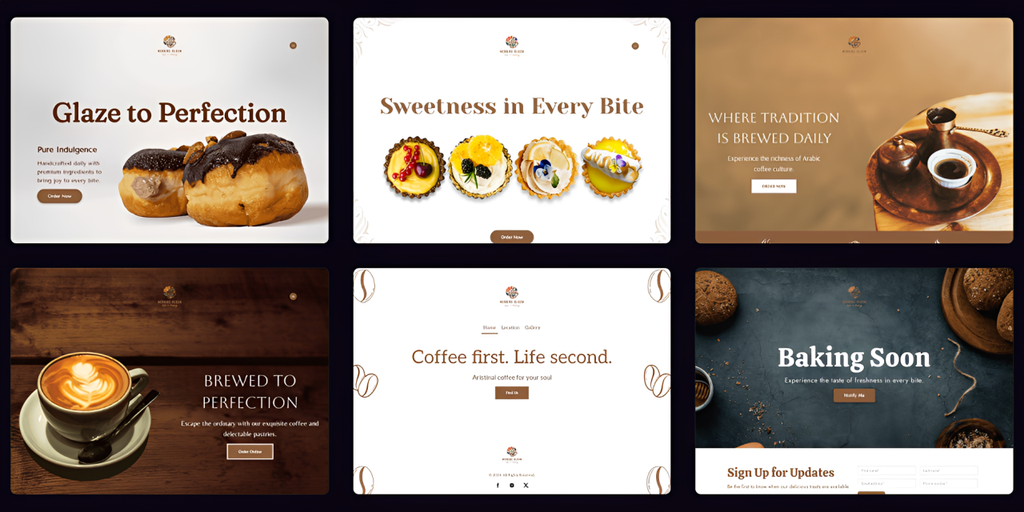
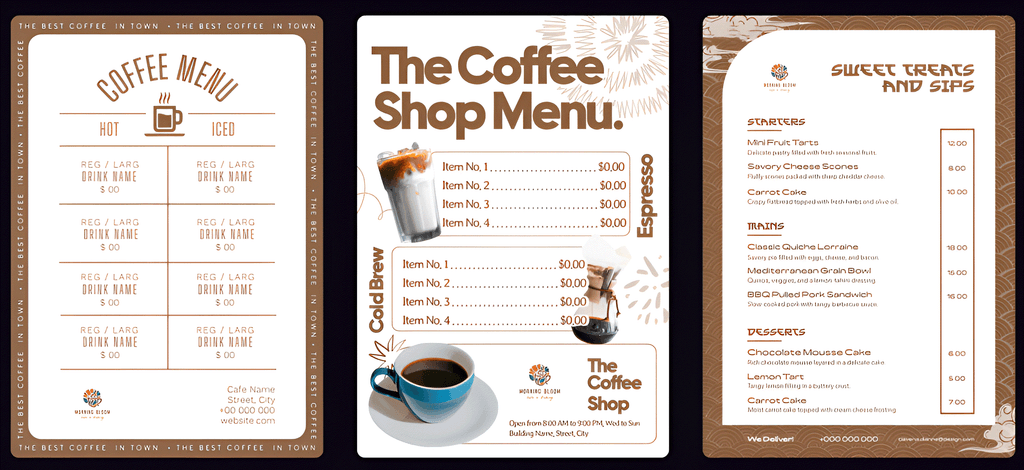
Design.com automatically applied its colors and typography to other templates, like social media graphics, websites, menus, and more. The same branding process also works with uploaded logos.
Here are some examples:
Instagram posts:
Websites:
Menus:
Pricing:
Design.com’s automatic template branding feature is available for free, meaning you can create a complete brand kit as long as you use free logos and templates. Paid plans start at $3/month (billed annually) or $9 (billed monthly) and provide full access to Design.com’s premium designs and other features.
2. BrandCrowd
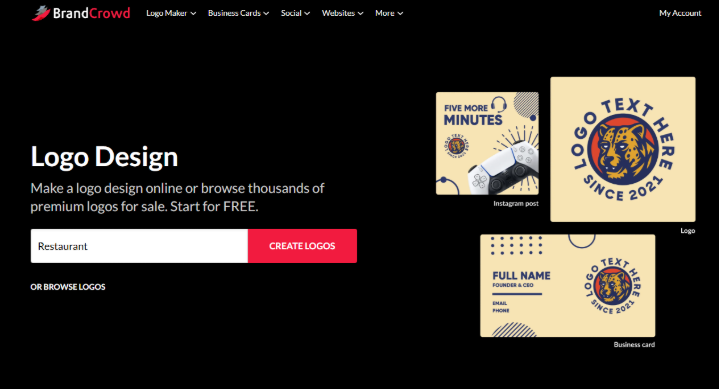
Best for: Creating a logo-centered brand kit with matching business and marketing assets.
BrandCrowd makes it easy to put together a brand kit with matching logos, business cards, social media graphics, and other marketing materials. Whether you’re creating a new logo or using your own, the platform turns your branding into a coordinated design collection. Its library includes over 380,000 logo templates and more than one million design templates, giving businesses plenty of options to explore.
One of BrandCrowd’s most useful features is its ability to connect every design. The platform applies your logo’s colors and fonts from your chosen or uploaded logo across different templates, reducing the need to customize every design individually.
Key brand kit capabilities:
- Extensive template library: Explore over one million templates for creating matching brand materials.
- Customizable brand elements: Adjust logo colors, fonts, and icons to establish your preferred visual style.
- Automatic color matching: Carry your chosen logo colors into business cards, social media graphics, and other templates.
- Downloadable brand assets: Save finished designs in PNG, JPG, SVG, EPS, and PDF formats for digital and print use.
How it works:
BrandCrowd lets you upload an existing logo or create one using its logo maker. In our case, we entered “Morning Bloom Cafe & Bakery” in the business name field and added the keywords “cafe,” “bakery,” and “flowers” in the logo maker.
Here are some of the results:
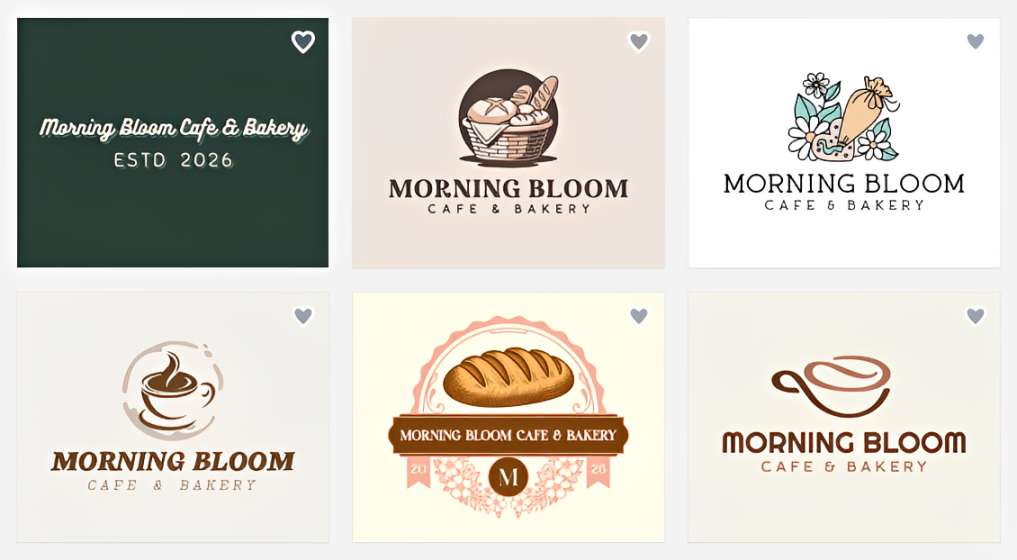
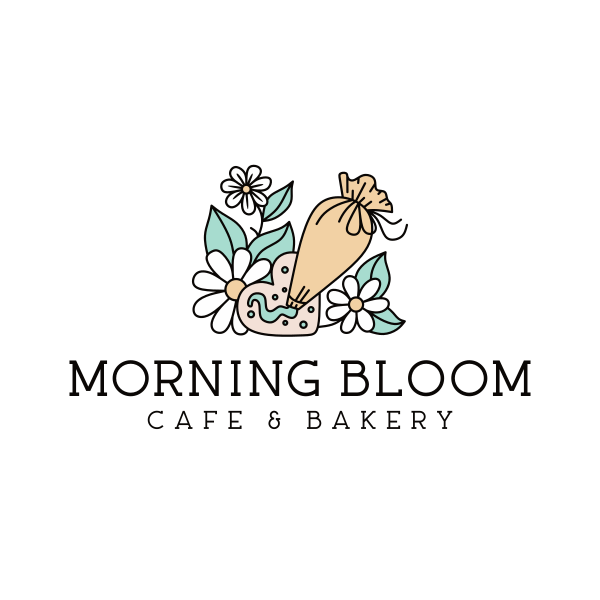
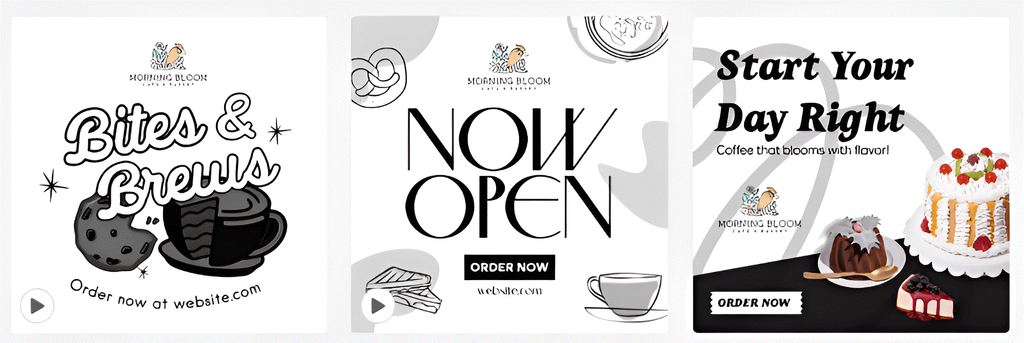
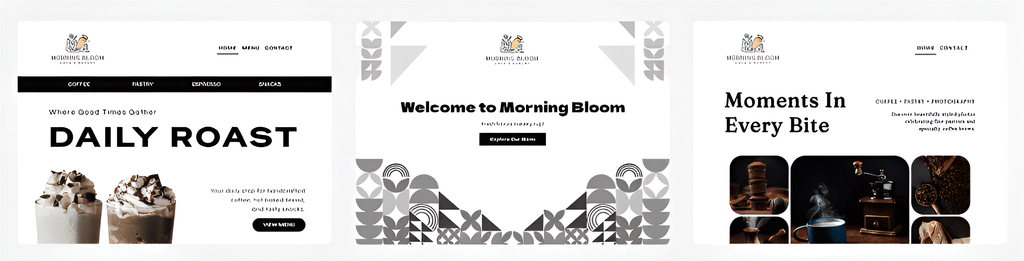
Just like with Design.com, we chose a logo and let the platform automatically integrate its colors and fonts into other templates. Businesses with existing logos can follow a similar process without creating a new design.
Here are some examples:
Logo:
Instagram Posts:
Websites:
Menus:
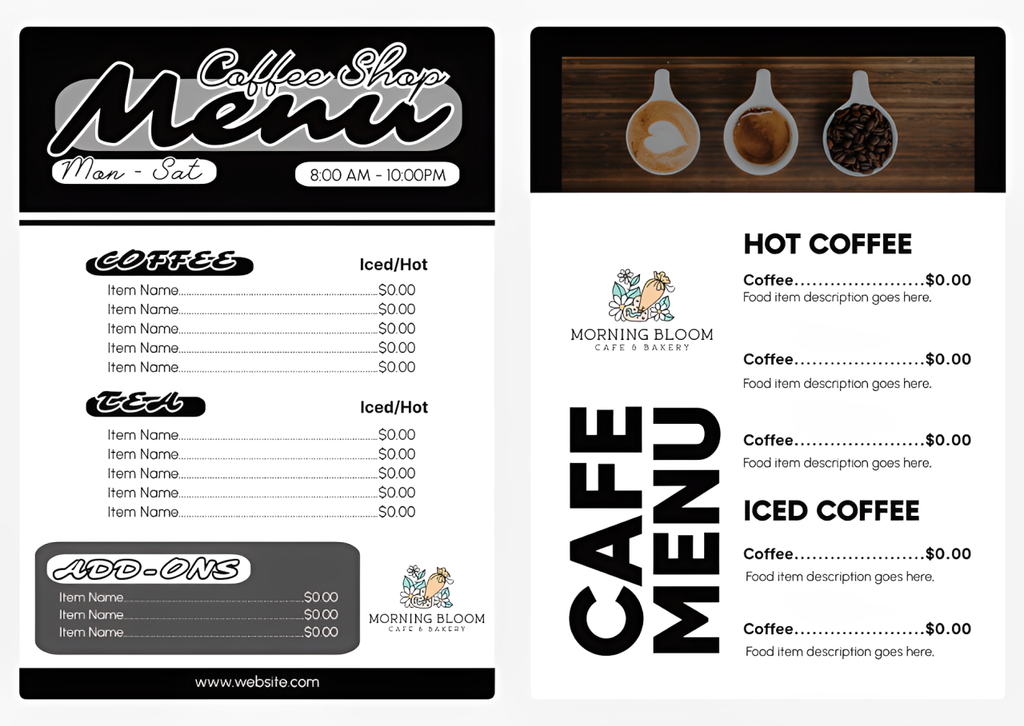
Pricing:
BrandCrowd offers free logos and templates that you can customize and use to create matching branded materials at no cost. Automatic branding also works with these free designs, so a subscription is only necessary if you want to access premium templates and features. Paid plans start at $3/month (billed annually) or $9/month (billed monthly).
3. Canva
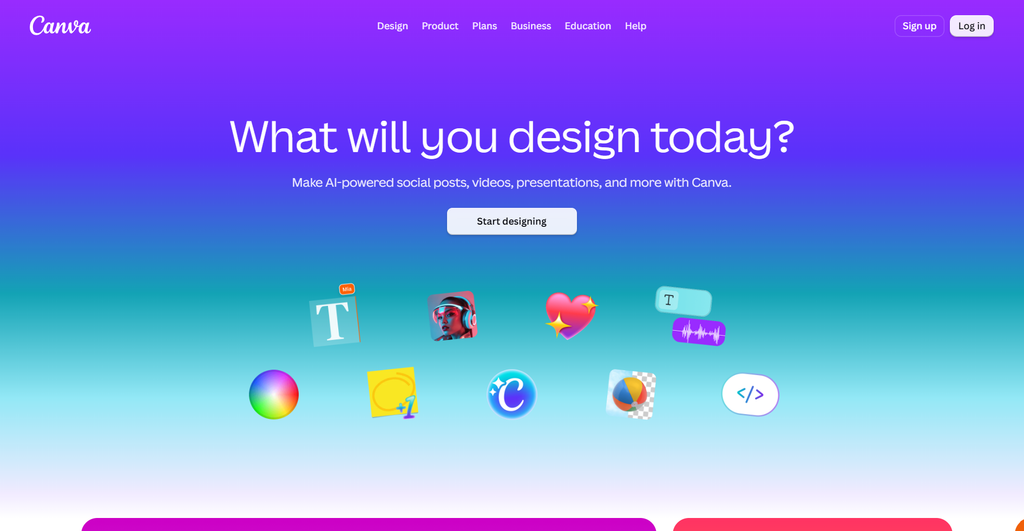
Best for: Creating a reusable brand kit for everyday marketing designs.
Canva is a widely used design platform for creating social media graphics, presentations, marketing materials, and more. But it also offers a dedicated Brand Kit feature that lets you store your logos, color palettes, fonts, and branded templates in one place. These elements are accessible directly from the editor, so you don’t have to upload your assets all the time.
Key brand kit capabilities:
- Centralized brand assets: Store logos, colors, fonts, imagery, and other brand elements in one place.
- Branded templates: Create and save reusable templates for consistent marketing materials.
- Brand styling tools: Apply saved brand colors and fonts to designs using Canva’s editor.
- Brand guidelines: Define rules for using logos, colors, and typography to maintain consistency.
- Multiple Brand Kits: Manage separate brand identities for different businesses or projects on supported paid plans.
How it works:
Canva lets you upload an existing logo or create a new one using customizable templates or Canva AI. Once you have a logo, you can create a Brand Kit and add your brand colors, fonts, and other visual elements.
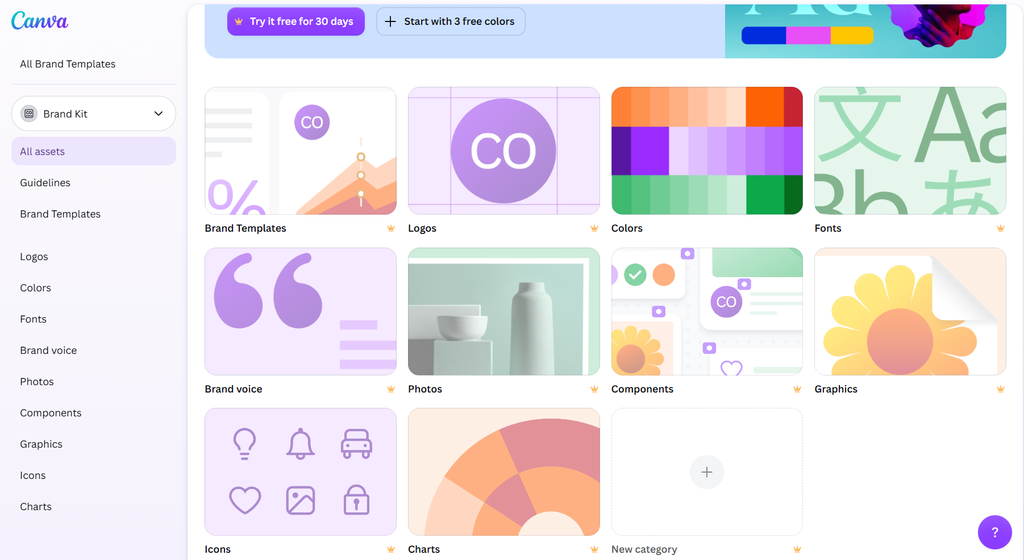
Canva can automatically generate a color palette from your uploaded logo, saving you from entering each color’s hex code manually. However, it’s worth checking the suggested colors to make sure they accurately match your branding.
Your saved brand assets become accessible directly from the editor, where you can apply approved colors, use brand fonts, and access branded templates.
Pricing:
Full access to Canva’s Brand Kit requires Canva Pro. Free users can only manually add their brand colors, while features like saving logos, fonts, and branded templates require a paid subscription. Canva Pro costs $14.99/month or $119.99/year in the US.
4. Adobe Express
Best for: Creating brand kits with defined colors, fonts, and reusable graphics.
Adobe Express is an all-in-one design platform for creating social media posts, presentations, flyers, videos, and other marketing materials. It also includes a dedicated Brands feature that lets you organize your logos, colors, fonts, and graphics into a reusable brand kit.
Key brand kit capabilities:
- Centralized brand assets: Keep logos, color palettes, fonts, and graphics together in one place.
- Brand extraction: Identify logos, colors, and fonts from uploaded images to speed up setup.
- Defined brand styles: Assign roles to logos, colors, and typography for consistent use.
- Automatic brand application: Apply saved colors and fonts across individual designs or multiple pages.
- Graphic recoloring: Update illustrations and other graphics using your brand’s color palette.
How it works:
Adobe Express offers two ways to set up a brand kit. You can create one manually by uploading your logo and adding your preferred colors and fonts, or use its “Extract from image” feature to identify branding from an existing image.
After reviewing and saving the elements, you can assign roles such as primary logo, secondary color, heading font, and body font.
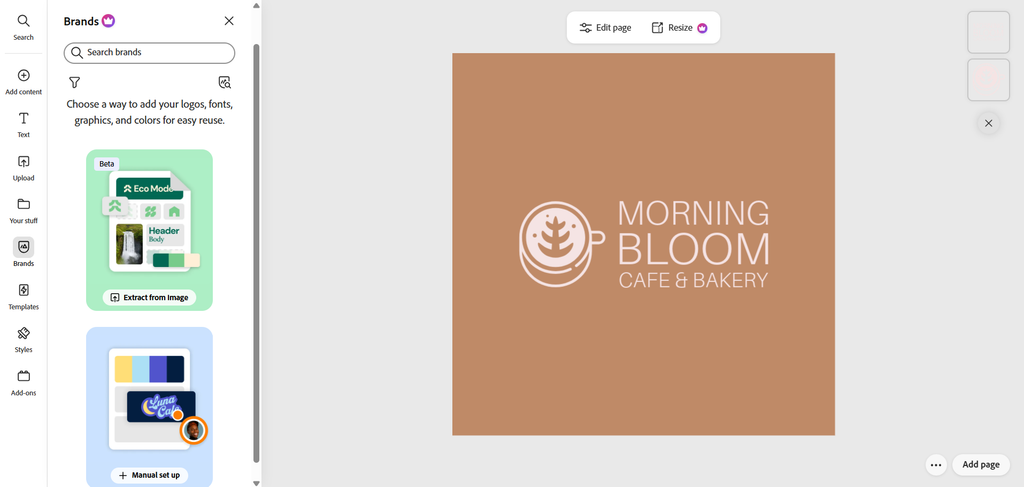
When designing marketing materials, open the Brands panel and select your saved brand. Adobe Express can apply its colors and fonts across the design, with options to try different combinations. You can also recolor graphics and apply the same branding to every page of a multi-page design.
Pricing: Adobe Express offers a free plan for basic design tasks, but Brand Kits require Adobe Express Premium, which costs $9.99/month in the US.
5. Looka
Best for: Automatically generating a ready-made brand kit with matching marketing materials.
Looka is an AI-powered logo and branding platform with a dedicated Brand Kit generator. Instead of requiring users to assemble every asset individually, Looka generates 300+ branded templates using their logo, colors, fonts, and business information. Its Brand Kit also includes industry-relevant photos and content, making it a convenient option for small businesses.
Key brand kit capabilities:
- Automatic Brand Kit generation: Get 300+ branded templates based on your logo and visual identity.
- Existing logo support: Upload your own logo or create one using Looka’s logo maker.
- Brand styling: Use logo colors, complementary fonts, and patterns across different designs.
- Pre-filled business information: Add company details to business cards, letterheads, and other templates.
- Brand guidelines: Access brand guidelines alongside social media graphics, email signatures, flyers, and more.
How it works:
Looka starts with a logo. You can either create one using its logo maker or upload an existing design. It then uses the logo’s colors and selected fonts to generate a collection of branded materials.
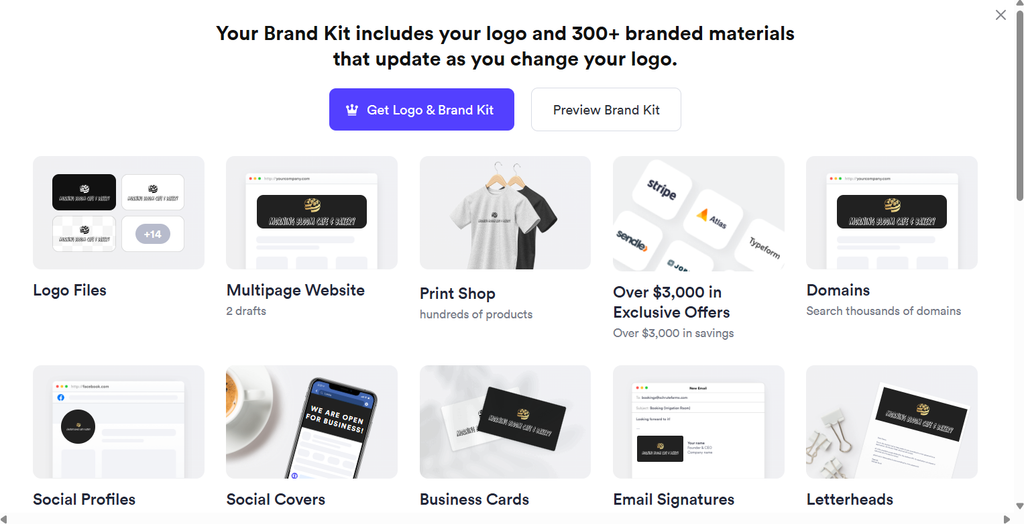
You can browse ready-made designs for business cards, social media posts, email signatures, and other materials. The Brand Kit editor also allows you to change the text, colors, images, and layouts. However, you’ll need a paid subscription to access and download the complete collection.
Pricing: Looka lets users create and preview logos for free, but its Brand Kit requires a paid subscription. The Brand Kit Subscription costs $96/year and includes access to 300+ branded templates.
6. VistaPrint
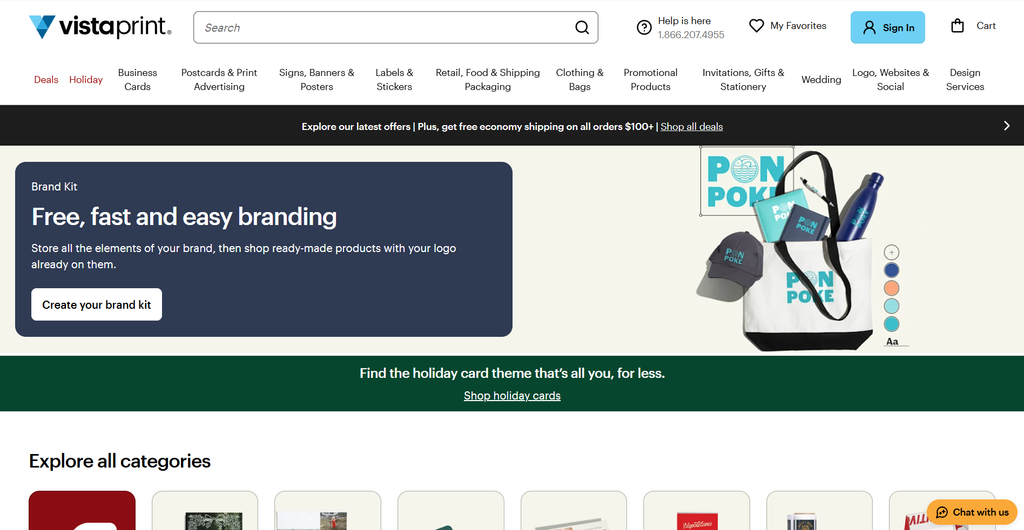
Best for: Creating brand kits for print and marketing materials.
VistaPrint is an online printing and design platform that helps businesses create branded materials. It also provides a dedicated Brand Kit feature for storing logos, colors, and fonts in one place. You can use these saved elements across VistaPrint’s customizable templates and printed products.
Key brand kit capabilities:
- Centralized brand assets: Keep logos, brand colors, and fonts for reuse across designs.
- Logo creation and uploads: Create a logo using VistaPrint’s Logo Maker or add an existing design.
- Brand color palettes: Save preferred colors for consistent use across different materials.
- Branded print products: Apply your visual identity to business cards, flyers, signage, and promotional items.
- Personalize product designs using your business’s branding.
How it works:
To get started, go to VistaPrint’s Brand Kit page, enter your business name, and create a new kit. You can upload an existing logo or create one using its free AI Logomaker. Next, choose your brand colors and assign up to three fonts for headings, subheadings, and body text.
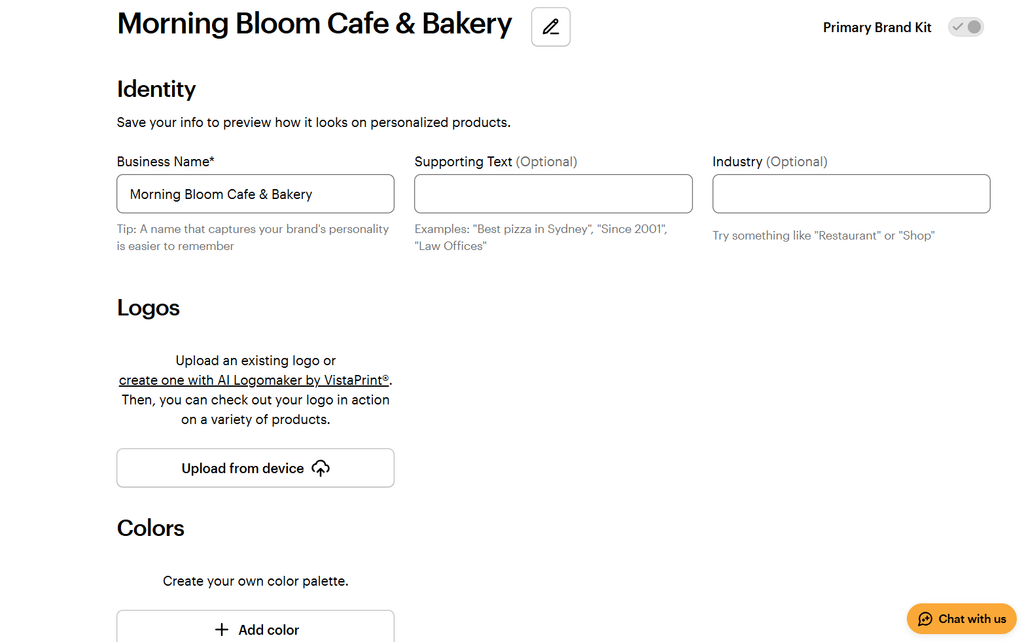
Once you’ve saved your branding, you can access it in VistaPrint’s design studio. Your logos are available in the Uploads section, while your saved colors and fonts appear when editing text and other design elements.
Pricing:
VistaPrint’s Brand Kit is free to create and use. However, its AI Logomaker includes a one-time allowance of 64 free logo generations per account. Once exhausted, you can purchase 50 additional generations for $5.
How to Choose the Right Tool for Your Brand Kit
Before choosing a platform, consider how easily it lets you create, organize, and reuse your brand elements.
- Brand kit features: Look for tools that support essential elements such as logos, color palettes, fonts, and branded templates.
- Ease of use: Choose a platform with a straightforward setup process, especially if you have little design experience.
- Brand consistency: Check whether the tool can automatically apply your colors and fonts across different designs or if you’ll need to do it manually.
- Customization options: Make sure you can adjust your brand elements and templates to match your preferred visual style.
- Export formats: Consider whether the platform supports high-resolution and vector formats for both digital and print use.
- Pricing: Compare what you can create and download for free with the features available through paid subscriptions.
Final Thoughts
Brand kits make it easier to maintain a consistent visual identity across your business materials. Whether you’re starting from scratch or already have a logo, the right tool should help you bring your brand elements together and use them across different designs.
Design.com is the best tool for businesses that want to create a complete brand kit without the complexity of managing multiple design tools. Its automatic template branding feature ensures consistent colors and fonts across various marketing materials. BrandCrowd is another strong option.
Ultimately, the best choice depends on how you plan to use your brand kit and which features make it easier to keep your branding consistent.
Read more about branding:
- Company Name, Trading Name, Trademark: What Actually Protects Your Brand
- Best Branding Tools for Startups in 2026
- How to Build an Entire Brand Identity with AI
Dianne Claveria is an SEO content writer specializing in digital marketing, branding, and technology trends. Passionate about helping businesses grow online, she enjoys exploring the latest tools and innovations in the digital space while creating content that’s both engaging and search-optimized.