How To Build Your First Website With AI
Building your first website can feel overwhelming. You might wonder where to start, how much it will cost, or whether you need to learn complicated code. Here is the good news. You no longer need to be a designer or developer. You can now create beautiful, professional sites or logos with just a few prompts by using an AI website builder or logo maker tools.
Think about it. You tell an AI tool what your business does and how you want your site to look; that’s how advanced AI has become. Then it gives you a finished design in minutes. That kind of speed used to be impossible.
If you are launching a small business or building your personal brand, this guide will walk you through everything you need to create a polished website with AI.
Let’s get started!
What Is Website Design?
Website design is the process of planning and shaping the experience people have when they visit your site. It covers layout, typography, colors, images, navigation, and the organization of your content. Good design makes your website look appealing and feel easy to use.
A strong design balances beauty and clarity. Visitors want something attractive. They also want to find information quickly. If your visitors cannot understand what you do or how to take the next step, they will leave.
This is especially important for small business website design. People come to your site with a goal in mind. They want to learn about your services, understand your offer, and find a clear path to contact you or buy from you.
Small business website design often focuses on a few key priorities.
- Clear service descriptions
- Simple navigation
- Straightforward calls to action, such as Contact Us or Book Now
- Friendly and helpful messaging
- Consistent branding
In the past, creating the best website design was difficult without coding skills or professional help. Today, AI has changed that. Tools can generate layouts, colors, and content for you. This makes professional-level design more accessible for new founders, creators, and small business owners.
Why Use AI to Design a Website?
AI has transformed the design process. What once took weeks can now take minutes. Here are the biggest advantages of using AI to build your site.
Speed
AI website builders give you a complete structure nearly instantly. You enter a few prompts about your business, and the platform produces a homepage, internal pages, and design suggestions. Tools like the Design.com’s AI Website Builder can generate an entire site faster than you could outline it on paper.
Ease of use
Most AI systems focus on simplicity. They are built for beginners. You do not need coding knowledge or design experience. The builder guides you with questions and presents options that you can adjust with a few clicks.
Cost effective
Hiring a professional designer or agency can be expensive. Building with AI often costs much less. Some platforms even have free plans, so you can start before paying anything.
Responsive design built in
Visitors browse on phones, tablets, and laptops. Most AI builders automatically create mobile-friendly designs. You do not have to build separate layouts for different devices.
Customization
AI gives you a strong starting point. You can then adjust fonts, colors, layouts, and content to match your brand. You get both speed and flexibility.
Compared to traditional website creation, which might take several weeks and require a larger budget, AI offers a practical, accessible alternative. It opens the world of the best website design to people who want a professional presence without the long timeline or high cost.
Step-by-Step Guide on How to Design a Website With AI
Here is the process for building your website with AI. Follow these steps, and you will go from blank screen to published site much faster than you expect.
Step 1: Choose an AI Website Builder
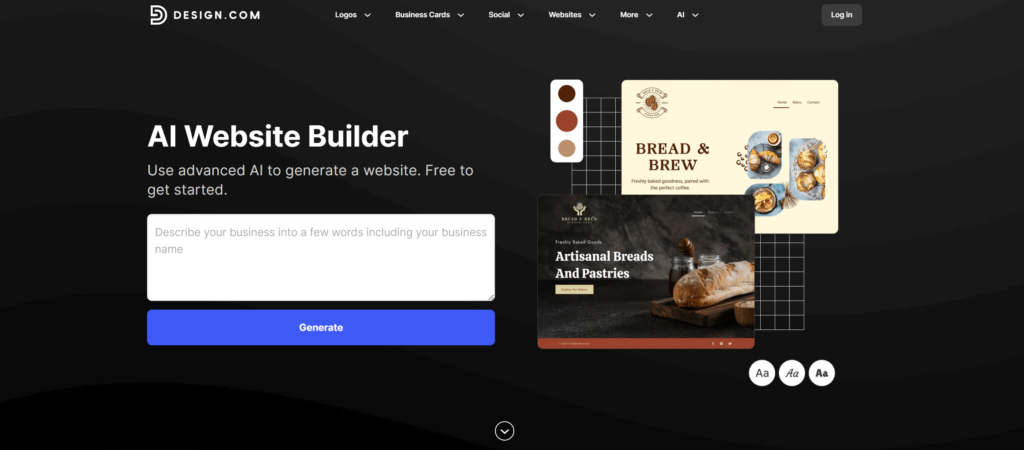
You have several great options. One of which is the Design.com AI website builder. The platform eliminates the blank-page problem entirely – the AI instantly produces industry-specific website structures with layouts, sections, and visual styling already in place.
If the first result isn’t perfect, refine your prompt or browse through multiple generated variations until you find the right fit. Then customize fonts, colors, layouts, and elements with an intuitive, no-code editor.
Design.com features useful for building websites
- AI-powered instant website generation from business name and keywords. You’ll have complete sites ready in seconds!
- Prompt-based refinement system that lets you adjust keywords to generate new variations until perfect
- Multiple website design options are generated automatically for easy comparison and selection
- Fully responsive designs optimized for mobile, tablet, and desktop devices without manual adjustments
- One-click publishing with hosting included (websites go live instantly after editing)
- Automatic brand synchronization with Design.com’s logo and branding tools for visual consistency
- No-code customization editor for fonts, colors, layouts, gradients, and visual elements
- Industry-specific website structures are applied automatically based on your business description
Design.com’s AI website generator is incredibly fast and removes the intimidation of starting from scratch. The ability to generate multiple website variations instantly and refine results through simple prompt adjustments makes it easy to find the right design without browsing endless templates.
Additionally, the seamless integration with Design.com’s AI logo generator and branding tools means your entire online identity can be built cohesively in one platform. This is a huge time-saver for entrepreneurs launching quickly.
Step 2: Define your goals and inputs
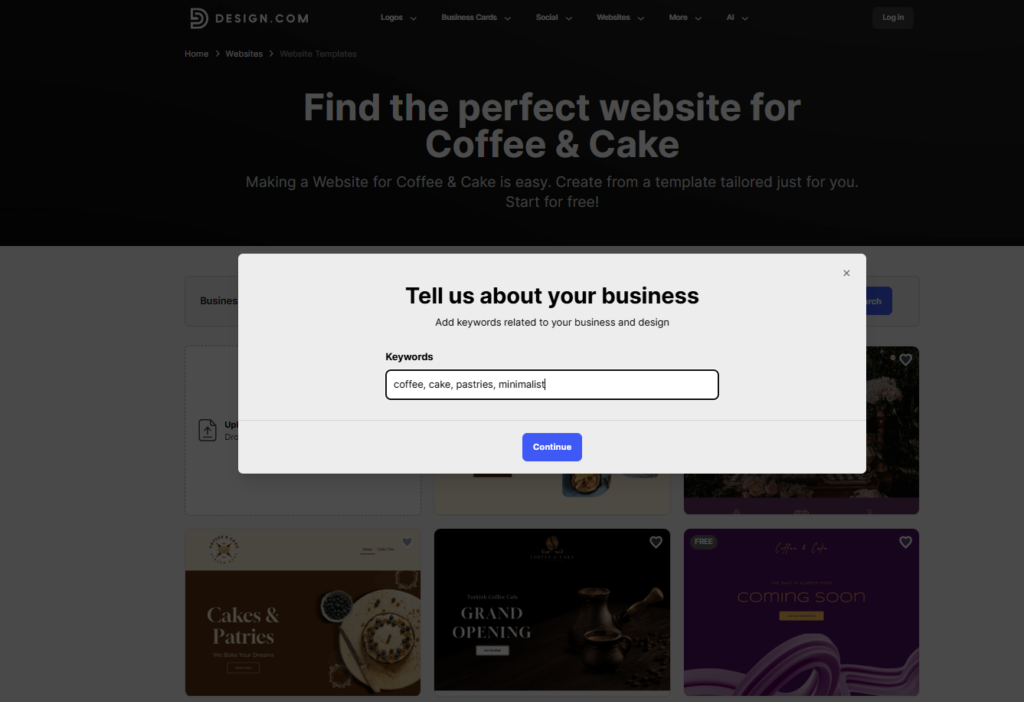
AI tools depend on the information you give them. Before you start, gather these details.
- Your business name
- Industry
- What you offer
- Your target audience
- Any design preferences, such as modern, minimal, colorful, or playful
- Keywords or phrases you want included
When you enter this information, the AI starts shaping your site around your message. It also generates content that matches your tone and purpose.
Step 3: Review the AI-generated structure
Once the tool generates your site, look through the pages. Most builders give you a homepage, an About page, a Services or Products page, and a Contact page. They may also add optional sections such as testimonials or FAQs.
Read the recommended copy. Look at the layout. Check the placement of buttons. The initial structure is usually strong, though it is still wise to refine the wording, add your voice, and make sure the pages feel right for your brand. A website content strategy helps decide what each page actually needs to say, so the structure the AI proposes becomes a deliberate skeleton instead of a generic one.
Step 4 Customize your visual design
AI gives you a solid starting point, but your brand is what gives the site personality.
Add your logo then adjust your colors and fonts to reflect the feeling you want your brand to give. Calm. Energetic. Professional. Friendly. Trusting. Your site should communicate your identity through visuals as much as through words.
Another great feature of Design.com is that your website is automatically optimized for mobile devices. This means your pages, images, and text will look great on phones and tablets without any extra work.
You can preview the mobile view in the editor and make small adjustments if needed, ensuring a smooth experience for visitors, no matter what device they use. For custom banners or hero images beyond stock photography, AI creative suites like Higgsfield AI include an AI Image Generator that produces visuals from a short text prompt.
Step 5: Publish and iterate
Once your site is ready, check the basics, and if any part of your site collects visitor information or uses automated tools to make decisions about users, review how you handle that data against guidance like the AI Bill of Rights before going live.
- Page titles
- Meta descriptions for SEO
- Button placement
- Contact information accuracy
- Mobile layout
Hit publish when everything looks good. The beauty of AI builders is that updates are easy to implement. You can adjust your site anytime. Watch how visitors behave and refine pages based on their actions. Businesses that need more advanced functionality can also explore development services from Coders.dev to create custom web experiences and scale their online presence. This ongoing improvement will naturally lead your site toward the best website design for your audience. Teams that want to plan a site’s content before building it can map everything out in Storyflow, a visual workspace where you organize page ideas, copy, moodboards and assets on one canvas.
How BrandCrowd’s Website Builder Works
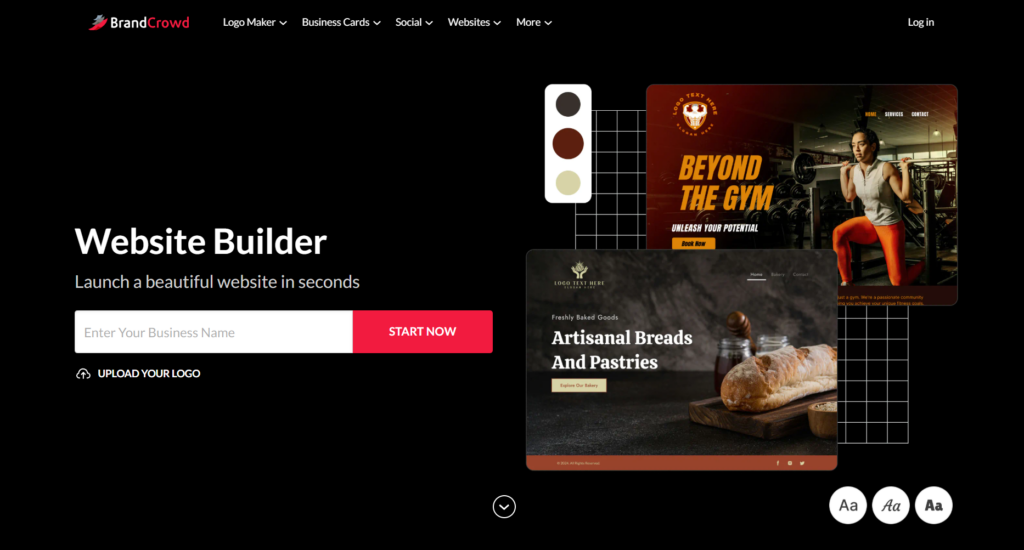
BrandCrowd’s website builder takes the same AI-powered approach that makes its logo and branding tools so popular and applies it to full website creation. The result is a streamlined experience that connects your visual brand identity directly to your online presence.
Getting started is simple. Rather than dropping you into a blank canvas, it gives you a fully formed starting point with layouts, sections, and styling already in place – all from your business name and a few keywords. From there, you refine and make it your own.
One of the biggest advantages of building with BrandCrowd is brand consistency. Because the platform houses your logo, color palette, and design assets all in one place, your website automatically reflects the identity you have already created. Fonts, colors, and visual elements stay in sync across every page without any manual coordination on your part.
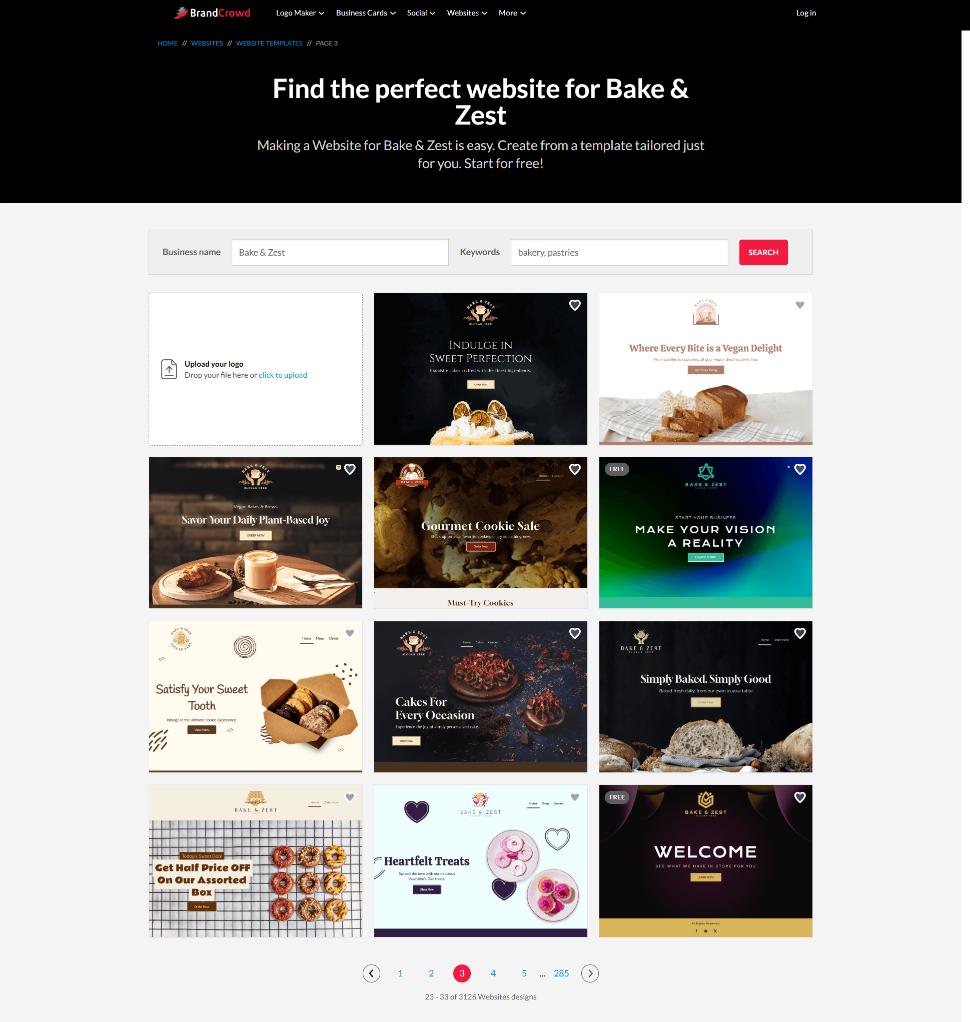
The editor itself is built for non-designers. You can swap colors, adjust layouts, rewrite copy, and upload images without touching a single line of code. Every design is also responsive by default, meaning your site will look sharp on desktop, tablet, and mobile without any extra effort.
Once you are satisfied with how everything looks, publishing takes just one click. Hosting is included, so there are no third-party services to set up or manage. For entrepreneurs who want to go from idea to live website as quickly as possible while keeping their branding cohesive, BrandCrowd offers a practical all-in-one solution.
Key features at a glance
- AI-powered website generation — Enter your business name and description to instantly receive a fully structured, industry-specific website ready to customize.
- Built-in brand consistency — Your logo, colors, and fonts sync automatically across your entire site, keeping your visual identity cohesive without extra effort.
- No-code editor — Adjust layouts, swap colors, rewrite copy, and upload images using a simple drag-and-drop interface. No technical skills required.
- Fully responsive designs — Every website is automatically optimized for desktop, tablet, and mobile devices straight out of the box.
- One-click publishing — Launch your site instantly without navigating third-party platforms or complicated setup processes.
- Hosting included — No need to purchase or manage separate hosting. Everything lives in one place from day one.
- Integrated branding tools — Access BrandCrowd’s logo maker, social media assets, and other design tools all within the same platform for a complete online identity.
- Prompt-based refinement — Not happy with the first result? Adjust your inputs and generate new variations until the design feels right for your brand.
Conclusion
Building your first website no longer needs to feel intimidating. With AI tools, you can create a professional, polished, and mobile-friendly site in a fraction of the time it would take using traditional methods. From planning and generating content to customizing visuals and launching your site, AI makes every step faster and easier.
Read more about web design here:
- 10 Web Design Trends for 2026
- Testing Your Website Color Scheme: Tools and Techniques for Optimizing UX
- The Role of User Experience in Website Design for Small Businesses
FAQs About Website Design
What is website design?
Website design is the process of arranging content, visuals, navigation, and layout to create a helpful online experience that looks great and functions smoothly.
Do I need to know coding to design a website?
Not anymore. AI website builders let you create professional sites without coding. You just enter your business details and preferences, and the tool generates layouts, colors, and content for you. You can then customize the design using simple editing tools. However, if your project requires advanced functionality or custom integrations, you may still want to hire software developers to help bring more complex ideas to life.
How long does it take to build a website with AI?
With AI tools, you can go from zero to a fully designed website in a few hours or even minutes for basic sites. Traditional methods can take weeks or months. The exact time depends on how much content and customization you want to add.
Can I make my website mobile-friendly using AI?
Yes. Most AI website builders automatically create mobile-friendly designs. This means your site will look and work well on phones, tablets, and desktops without any extra effort on your part.
How much does it cost to build a website with AI?
Many AI builders, like Design.com, offer free plans to get started. Paid plans usually range from $6 to $ 9 per month and include extra features such as custom domains, unlimited pages, e-commerce options, and full access to editing tools. This makes building a professional website much more affordable than hiring a designer or agency.