- Go to previous page
- Page 1 of 2
- 1
- 2
- Go to next page
1 - 64 of 106 seo logo designs
Other logos similar to SEO logos
- social logos
- marketing logos
- search logos
- analytics logos
- mobile logos
- traffic logos
- website logos
- domain logos
- CSS logos
- html logos
- strategy logos
- local logos
- index logos
- ranking logos
- authority logos
- content logos
- algorithm logos
- audit logos
- Grayscale seo logos
- Blue seo logos
- Purple seo logos
- Pink seo logos
- Red seo logos
- Orange seo logos
- Yellow seo logos
- Green seo logos
Making Your seo Logo Is Easy With BrandCrowd Logo Maker
Create a professional SEO logo in seconds with our free SEO logo maker. BrandCrowd logo maker is easy to use and allows you full customization to get the SEO logo you want!
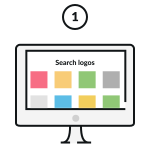
Pick A SEO Logo
Pick one of the SEO logos on this page or update your search.
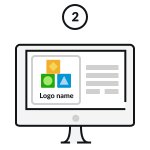
Customize Your SEO Logo
Change colours, fonts, add a tagline… Our SEO logo maker is 100% customizable and easy to use.
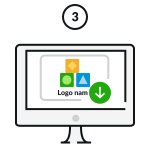
Download Your SEO Logo!
Download your SEO logo and start sharing it with the world!
Enter any keyword and we will start making logos for you
How do I make a SEO logo with BrandCrowd?
Creating your SEO logo easy with BrandCrowd. Just follow these steps and you'll have a SEO logo ready to share with the world in seconds.

1. Start searching:
To find SEO logos relevant to your business enter your business name - We'll automatically show you SEO logos related to your business. You can browse the logos and choose one you love.

2. Refine your search:
If you can't find the perfect SEO logo, you can refine your search by entering related keywords. We'll show you more logos related to your search.

3. Create a SEO logo shortlist
To make life easier you can "shortlist" logos that you like. Simply click the heart symbol and we'll add the SEO logos to your shortlist.

4. Edit your SEO logo
Once you've found a SEO logo that you love, you can customize the logo colors, fonts and layout. You can even add more embellishments with shapes.

5. Preview your SEO logo
When you're done editing you can easily preview your logo on apparal, signage and more to see how it looks in real life.

6. Download your SEO logo
Once you're done customizing, you can download your SEO logo - you'll get access to all the logo files you need, instantly
What elements make a beautiful logo?
It's easy to create a logo with BrandCrowd's logo maker - but making sure you get these design elements right will ensure your logo is perfect. Your logo should represent your brand, help people remember you and provide insight into your services. Choosing the right colors, layout, fonts and shapes are key to making sure your logo rises above competitors.

Logo type
There's an array of different logo types to choose from. Does your SEO logo need an icon or just text? Should it have a combination of both?
Find out more
Logo colors
Want to convey trustworthiness? Want to appear fun and outgoing? Choosing the right colors for your SEO logo makes all the difference.
Find out more

Logo font
In the same way colors can convey meaning, so too can fonts and typography. Need a serious SEO logo or maybe something more gentle? Make sure to choose your fonts wisely.
Find out more
Frequently asked questions
Creating that perfect seo logo with BrandCrowd is easy - but just in case, here's some FAQs to help you get started.