Mobile-First Logo Design: How To Optimize for Small Screens
Every day, millions of logos get ignored on mobile screens. Not because they’re ugly, but because they’re unreadable. When your logo shrinks to the size of a fingernail, all those careful design choices turn into visual noise that customers scroll right past.
Most people don’t realize how often their logo appears on a phone. Think about app icons, social profiles, and mobile search results. Your customers see your brand on these tiny screens hundreds of times before encountering it anywhere else. If your logo falls apart at small sizes, most of your audience will never notice you exist.
This article covers everything you need to know about mobile-first logo design. You’ll learn the design principles that keep logos clear on small screens. You’ll discover which logo maker tools deliver the best results. And, finally, we’ll guide you in determining how to test your design before launching it.
What Is Mobile-First Logo Design?

Mobile-first logo design means creating your brand identity with smartphones and tablets as the priority, not an afterthought. So, instead of designing for a desktop and hoping it scales down nicely, you reverse the process. You start by asking how your logo will perform at its smallest, most common viewing sizes.
Why traditional logos fail on small screens
Traditional logos were built for a different era. They were designed for letterheads, billboards, and storefront signs where size was never an issue. These designs often include intricate illustrations, thin lines, delicate typography, or subtle gradients that look sophisticated at large scales.
But shrink these logos to mobile dimensions, and everything will fall apart. Fine details vanish into a muddy mess. Multiple colors and subtle shading become impossible to distinguish on bright outdoor screens or in dark mode. Small text turns completely illegible below a certain threshold.
That tagline under your company name that looks so professional on your website header? Nobody can read it when your logo appears in their mobile browser tab.
How mobile changed logo design in 2025
The shift to mobile has fundamentally changed how people interact with brands. Users now spend most of their online time on phones, scrolling through apps, social feeds, and mobile sites where logos appear in tiny dimensions. Your logo must work as a 32-pixel favicon, a 180-pixel app icon, and everywhere in between.
The rise of app-first behavior means your logo lives in notification bars, app stores, and social media profiles rather than just sitting on a homepage. If your brand mark can’t be recognized instantly at any size, it might as well be invisible.
Key Principles of Mobile-Optimized Logos
Creating a logo that works on small screens requires intentional design choices. These principles will guide you toward a mark that stays clear, recognizable, and effective no matter where it appears.
Simplicity and minimalism
The best mobile logos use basic shapes and clean icons. Think of the Apple logo, or the Nike swoosh. These marks communicate instantly because they’re built from simple geometric forms without unnecessary decoration.
Strip your concept down to its core. If you can remove an element without losing the essential meaning, remove it. Every extra line or detail dilutes your message when working at thumbnail sizes. A simple icon will always outperform a complex illustration on mobile screens.
Minimalist Toucan Outline by Design.com

Yellow Abstract Property by BrandCrowd
Warrior Spartan Trojan Helmet by Design.com
Basic Shape House by BrandCrowd
Flower Petals Minimalist by Design.com
Strong contrast and color choice
Your logo must pop against different backgrounds, from white website headers to dark app interfaces. High contrast between your logo elements and their surroundings ensures visibility in any lighting condition. Subtle color variations might look elegant on a desktop but disappear on mobile.
The best mobile logos work in solid black or white. They’ll often be displayed that way in app stores, social media profiles, or print materials anyway. If your logo requires multiple colors to be recognizable, it’s time to redesign.
Eye Digital Vision by BrandCrowd
Wellness Leaf Organic by Design.com
Black Feline Pet Cat by BrandCrowd
Geometric Startup Modern by Design.com
Shoes Fashion Heels by BrandCrowd
Scalable geometry and clean lines
Vector-based designs with clean, defined edges stay crisp whether displayed as a tiny favicon or a full-size website header. Thin lines disappear at small sizes, so make sure your shapes are bold enough to remain distinct when scaled down.
Test your design at the smallest size it will ever appear. If the details blur together or the overall shape becomes unclear, simplify further. Your logo should immediately be identified, even at 32 square pixels.
Responsive logo versions
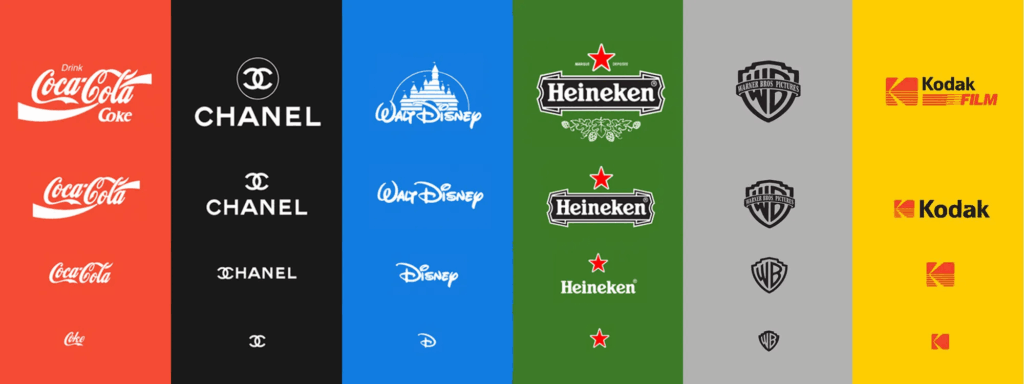
Smart brands create multiple versions of their logo for different contexts. You might have a full horizontal logo with your company name, a stacked version for square spaces, and an icon-only mark for the smallest applications. This lets you maintain brand consistency while adapting to various screen sizes.
Use the icon alone for mobile app icons and favicons. Use the icon plus wordmark for mobile website headers. Save the full logo for situations where space allows. Having these variations ready means you always have the correct version for each use case.
Online Tools To Make Mobile-First Logos
You don’t need expensive design software or professional training to create an effective mobile logo. Modern online tools put powerful design capabilities in your hands, letting you create, test, and refine logos optimized for small screens in minutes rather than weeks.
Why online tools are ideal for DIY mobile logos
Online logo makers are built for speed and accessibility. You can experiment with different concepts, preview them at various sizes, and make changes instantly without wrestling with complex software. Best of all, they’re affordable or free, making professional-looking logo design accessible to bootstrapped startups and solo entrepreneurs.
These tools also offer templates designed for mobile clarity, so you start with a solid foundation instead of learning design principles through trial and error.
How logo makers simplify mobile design
Tools like BrandCrowd’s Logo Maker make it easy for entrepreneurs to focus on mobile performance without technical expertise. The platform offers thousands of templates built with simplicity and scalability in mind. Each design is created in vector format, meaning your logo stays sharp at any size, from tiny favicons to large banners.
The interface lets you customize colors, fonts, and layouts while previewing how your changes affect readability at small sizes. You can export your logo in multiple formats and sizes, ensuring you have the correct file for every application.
Step-by-step guide to creating a mobile-ready logo in BrandCrowd
Creating a mobile-optimized logo in BrandCrowd takes just a few focused steps. The key is choosing simplicity from the start and testing rigorously at small sizes before you finalize anything.
- Start by browsing templates and filtering for simple, bold designs. Look for logos with precise shapes and minimal detail. Once you find a concept you like, customize it by adjusting colors for maximum contrast and choosing fonts that remain legible at small sizes.
- Test your design by zooming out or viewing it at actual mobile dimensions. Does it still look crisp and recognizable? Can you identify the key elements? Refine the design based on what you observe, removing any details that get lost at small sizes.
- Adjust contrast and color balance to ensure your logo works on light and dark backgrounds. Export your logo in SVG format for scalability and PNG format in multiple sizes for immediate use across your mobile presence.
Mobile-First Logo Design Examples
Looking at successful mobile logos reveals what actually works in real-world applications. These examples show different approaches to creating marks that stay effective at small sizes.
Instagram’s gradient camera icon
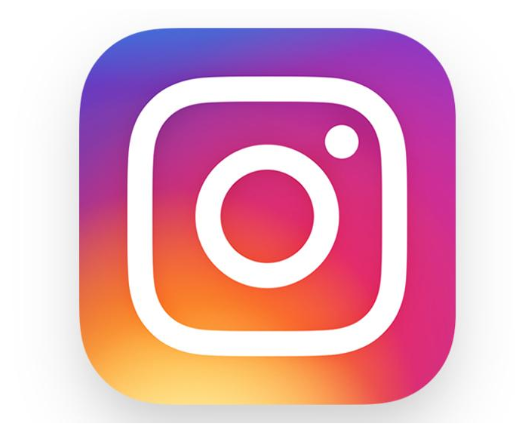
Instagram’s logo features a simplified camera design with a gradient color scheme. The icon uses a basic camera outline with a single viewfinder dot, rendered in their signature gradient that transitions from purple to orange to yellow. This simple silhouette remains instantly recognizable even at the smallest app icon sizes.
The design works brilliantly on mobile because it relies on bold, clean shapes rather than intricate details. The camera outline uses thick, consistent strokes that stay visible when scaled down.
The gradient provides visual interest at larger sizes, but the shape is distinctive enough to work in solid color. You immediately recognize it as Instagram. This logo prioritizes recognition at small sizes over decorative complexity.
Netflix’s bold red wordmark

Netflix demonstrates that text-based logos can work exceptionally well on mobile when designed with intention. Their wordmark uses a custom typeface with thick, bold letterforms and generous spacing between characters. The bright red color creates maximum contrast against both light and dark backgrounds.
What makes this wordmark mobile-friendly is the deliberate simplicity. Each letter is thick enough to remain legible at small sizes, with no thin strokes that could disappear. The spacing prevents characters from bleeding together when the logo shrinks.
Netflix proves that you don’t need an icon to succeed on mobile if you choose readable fonts and bold colors, and you have room for your text to breathe.
Heinz’s adaptive keystone logo
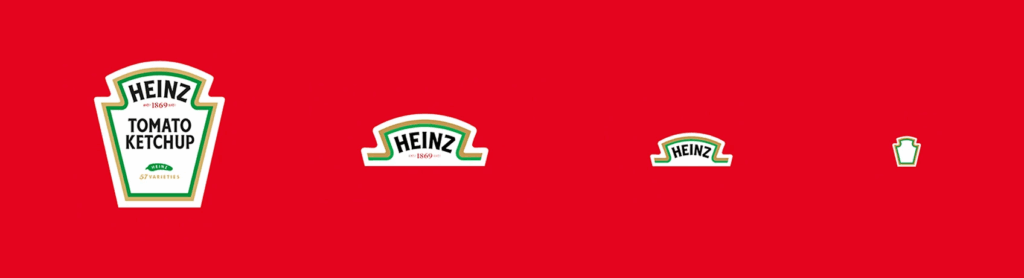
Heinz demonstrates masterful adaptive branding with their iconic keystone logo. The full version features the distinctive keystone shape with “HEINZ,” “TOMATO KETCHUP,” and heritage details like “EST 1869.” For medium-sized applications, they simplify to just the keystone with the “HEINZ” wordmark. At the smallest sizes, like app icons and favicons, they use only the keystone symbol.
This works because each version maintains the recognizable keystone shape while removing details as space decreases. The bold outline and high contrast between the white background and colored elements mean the logo stays clear at any size.
Heinz created purpose-built versions for each context rather than forcing one design to work everywhere, representing the gold standard for adaptive logo strategy.
Testing and Refining for Small Screens
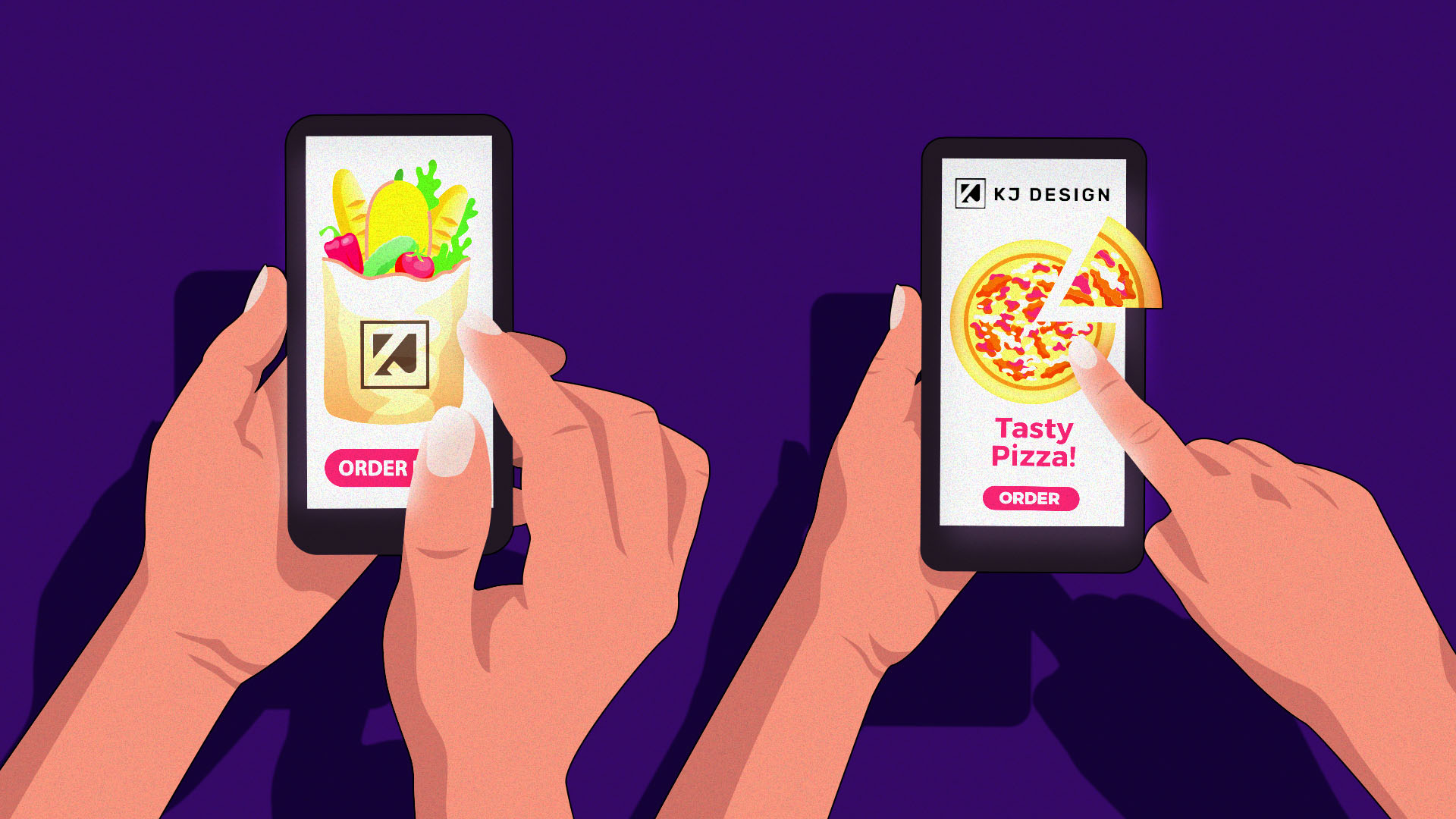
Creating your logo is only the first step. Rigorous testing on actual mobile devices and screens reveals issues you’d never spot on your desktop monitor. This phase separates good mobile logos from ones that actually perform in the real world.
Test at common mobile dimensions
Test your logo at the specific pixel dimensions where it will appear most often. Common logo sizes include 180×180 pixels for iOS app icons, 192×192 for Android, 32×32 for favicons, and various dimensions for social media profiles. View your logo at each of these sizes to check for clarity.
Don’t forget about retina displays and high-resolution screens. Your logo should look sharp on both standard and high-density displays. Test also how it appears in dark mode since many users prefer this setting on their mobile devices.
Use preview tools and device mockups
Browser developer tools let you preview your logo on simulated mobile screens. Chrome, Firefox, and Safari all include device emulators that show how your design appears on different phone models. Use these tools to check your logo in realistic contexts like website headers and app interfaces.
Device mockup generators also let you place your logo on realistic phone screenshots. Seeing your logo on an actual device interface helps you evaluate it in context rather than isolation.
Simplify based on what you see
When you spot problems at small sizes, resist the urge to add more detail or make elements larger. Instead, simplify further. Combine shapes that blur together, increase the space between elements, or remove decorative touches that don’t contribute to recognition.
Sometimes this means creating a simplified version specifically for small applications while keeping a more detailed version for larger contexts. This multi-version approach lets you optimize for each use case without compromise.
Export in the right formats
Export your logo in SVG format for maximum scalability. SVG files use mathematical descriptions of shapes rather than pixels, meaning they stay sharp at any size. This format is ideal for websites and applications where your logo might be displayed at various dimensions.
Also export PNG files at the specific sizes you need most often. Include transparent backgrounds so your logo works on any colored surface. Create high-resolution versions at 2x and 3x sizes for retina displays and future-proofing.
Common Mobile Logo Design Mistakes to Avoid
Even with the best intentions, certain pitfalls trap designers creating mobile logos. Avoiding these common errors saves you time and ensures your logo performs from day one.
Using too many tiny details
Intricate patterns, thin lines, small text, or complex illustrations might look impressive on your computer screen, but they create a blurry, unrecognizable mess on mobile. Remember that simplicity isn’t about being boring but about being clear and memorable at any size.
Poor color contrast
Logos with colors that are too similar in tone or brightness fade into backgrounds or become hard to distinguish in different lighting conditions. Always test your logo in light and dark modes to ensure visibility across all viewing scenarios.
Neglecting favicon and square versions
Many designers focus only on horizontal logo layouts and awkwardly crop or squeeze them into square spaces. This leaves your brand looking unprofessional in crucial touchpoints like browser tabs, app icons, and social media profiles. Create dedicated square versions from the start.
Skipping real-world device testing
Your logo might look fine in design software, but perform poorly on real screens with actual lighting, viewing angles, and user contexts. Always check your final logo on multiple phones and tablets before committing. What works on your monitor often reveals unexpected issues on actual devices.
Start Designing Your Mobile-Ready Logo Now
Mobile-first logo design isn’t optional anymore. It’s the foundation of a credible, professional brand presence in 2025. By focusing on simplicity, strong contrast, scalable geometry, and adaptive versions, you can create a logo that works beautifully on every screen your customers use.
BrandCrowd gives you everything you need to design, test, and export mobile-optimized logos in minutes. Choose from thousands of templates built with mobile clarity in mind, customize them to match your brand, and access additional branding services like business card design and social media kits. Download files ready for every device and platform where your customers will see you.
Your audience lives on their phones. Your logo should too.
Read More on Logo Design Here:
- 10 Logo Color Combinations That Always Work (and Why)
- What Is Brand Marketing? A First-Time Entrepreneur’s Guide
- 5 Logo Variations Your Brand Needs
FAQs on Mobile-First Logo Design
1. What is mobile-first logo design?
Mobile-first logo design means creating your logo with smartphones and tablets as the primary focus rather than an afterthought. You start by designing for the smallest screens where your logo will appear, ensuring it stays clear and recognizable at tiny dimensions like app icons and favicons.
2. How does using an online logo maker compare to hiring a designer?
Online logo makers are faster and more affordable, offering thousands of mobile-optimized templates you can customize in minutes. Hiring a designer gives you a completely custom solution and expert guidance, but costs significantly more and takes longer. For most small businesses and startups, online tools provide professional results at a fraction of the cost.
3. Where can I create a mobile-friendly logo online?
Platforms like BrandCrowd offer specialized logo makers with templates built for mobile clarity. These tools include vector-based designs, mobile preview features, and export options in multiple formats and sizes. Look for services emphasizing simplicity and scalability and providing files optimized for different screen dimensions.
4. What file formats do I need for mobile logos?
You need SVG files for scalability across all sizes and PNG files in specific dimensions for immediate use. Export your logo at standard mobile sizes like 180×180 pixels for iOS app icons, 192×192 for Android, and 32×32 for favicons. Include high-resolution versions at 2x and 3x sizes for retina displays.
5. Should I create different logo versions for mobile?
Yes, smart brands create multiple logo variations for different contexts. You might have a full horizontal logo with your company name, a stacked version for square spaces, and an icon-only mark for the smallest applications. This adaptive approach ensures your logo always looks its best, regardless of where it appears.
Hannah Suroy suroy brings clarity to complex topics across entertainment, business, and creative industries. She specializes in translating industry trends and innovations into engaging content that helps readers understand the creative process behind the work they love.
Original Artwork by Khim John Blazo