- Go to previous page
- Page 1 of 1
- 1
- Go to next page
1 - 20 of 20 contrast logo designs
Other logos similar to Contrast logos
- Cartoon logos
- Facebook logos
- Font logos
- Football logos
- Icon logos
- Instagram logos
- Letter logos
- Mascot logos
- Name logos
- Neon logos
- Text logos
- Youtube logos
- Automotive logos
- Band logos
- Beauty logos
- Brand logos
- Company logos
- Construction logos
- Dental logos
- DJ logos
- Electrical logos
- Finance logos
- Fitness logos
- Gaming logos
- Medical logos
- Photography logos
- Podcast logos
- Real Estate logos
- Restaurant logos
- Startup logos
Making Your contrast Logo Is Easy With BrandCrowd Logo Maker
Create a professional Contrast logo in seconds with our free Contrast logo maker. BrandCrowd logo maker is easy to use and allows you full customization to get the Contrast logo you want!
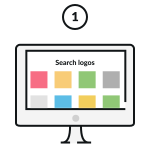
Pick A Contrast Logo
Pick one of the Contrast logos on this page or update your search.
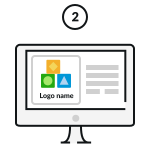
Customize Your Contrast Logo
Change colours, fonts, add a tagline… Our Contrast logo maker is 100% customizable and easy to use.
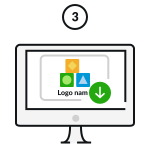
Download Your Contrast Logo!
Download your Contrast logo and start sharing it with the world!
Enter any keyword and we will start making logos for you
How do I make a Contrast logo with BrandCrowd?
Creating your Contrast logo easy with BrandCrowd. Just follow these steps and you'll have a Contrast logo ready to share with the world in seconds.

1. Start searching:
To find Contrast logos relevant to your business enter your business name - We'll automatically show you Contrast logos related to your business. You can browse the logos and choose one you love.

2. Refine your search:
If you can't find the perfect Contrast logo, you can refine your search by entering related keywords. We'll show you more logos related to your search.

3. Create a Contrast logo shortlist
To make life easier you can "shortlist" logos that you like. Simply click the heart symbol and we'll add the Contrast logos to your shortlist.

4. Edit your Contrast logo
Once you've found a Contrast logo that you love, you can customize the logo colors, fonts and layout. You can even add more embellishments with shapes.

5. Preview your Contrast logo
When you're done editing you can easily preview your logo on apparal, signage and more to see how it looks in real life.

6. Download your Contrast logo
Once you're done customizing, you can download your Contrast logo - you'll get access to all the logo files you need, instantly
What elements make a beautiful logo?
It's easy to create a logo with BrandCrowd's logo maker - but making sure you get these design elements right will ensure your logo is perfect. Your logo should represent your brand, help people remember you and provide insight into your services. Choosing the right colors, layout, fonts and shapes are key to making sure your logo rises above competitors.

Logo type
There's an array of different logo types to choose from. Does your Contrast logo need an icon or just text? Should it have a combination of both?
Find out more
Logo colors
Want to convey trustworthiness? Want to appear fun and outgoing? Choosing the right colors for your Contrast logo makes all the difference.
Find out more
Logo font
In the same way colors can convey meaning, so too can fonts and typography. Need a serious Contrast logo or maybe something more gentle? Make sure to choose your fonts wisely.
Find out more
Frequently asked questions
Creating that perfect contrast logo with BrandCrowd is easy - but just in case, here's some FAQs to help you get started.